NEWS

Apple Pay Launches in Iceland

05/09/2019

2485

Apple Pay arrived unexpectedly in Iceland today, allowing bank customers to use Apple's mobile payment system for iPhone, iPad, Mac, and Apple Watch wherever they see the contactless logo. 
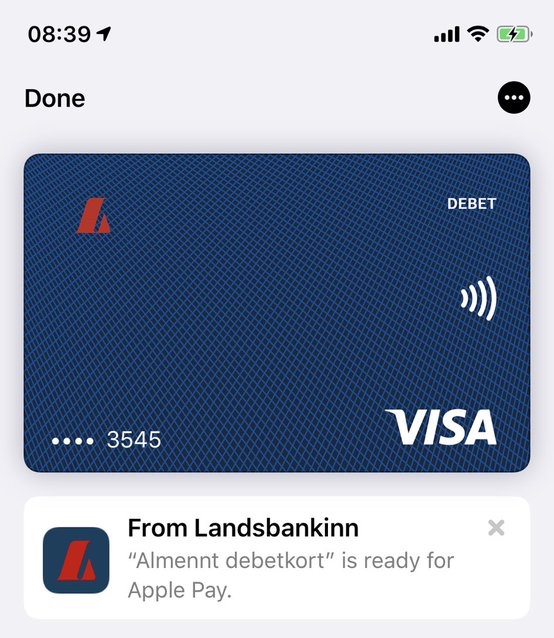

Apple Pay Launches in Iceland


Apple Pay Launches in Iceland

International payment solutions company Valitor is said to have played a key role in bringing Apple Pay to the country, with Landsbankinn and Arion banki among the first Icelandic banks to announce support for the digital wallet. 

As to which country will get the next Apple Pay rollout, it's currently a toss-up between The Netherlands and Portugal, where regional banks have teased that Apple's contactless payment system is "
coming soon.

Apple Pay first launched in the United States in October 2014 and is also available in the United Kingdom, Canada, Australia, China, Hong Kong, Singapore, Belgium, Switzerland, France, Japan, Spain, Italy, Sweden, Finland, Denmark, Russia, New Zealand, Brazil, Poland, Ireland, Ukraine, and the United Arab Emirates. 

Apple CEO 
Tim Cook said in March that Apple Pay will be available in more than 40 countries and regions by the end of 2019. 


Source: macrumors

Windows
Mac OS
iOS
Linux
3uTools
Win 64-bit For this device
V9.0 2025-11-11
Download
Win 32-bit For this device
V9.0 2025-11-11
Download
3uTools
Intel Chip How to Identify Chip Type
V9.0 2025-12-02
Download
Apple Silicon
V9.0 2025-12-02
Download
How to Identify Chip Type
1.  Click the Apple icon in the top-left corner of the screen and select About This Mac.
2.  Check the Processor or Chip field to determine if it is "Intel" or "Apple".
Please use the 3uTools PC client to install the iOS client:
1、 Install either the Windows or Mac version of 3uTools on your computer
2、 Open the PC client and connect your device to the computer via USB cable
3、 After the connection is successful, wait for the computer to automatically install the mobile app for the device, or locate “Install Mobile App” on the computer and manually click to install.
3uTools
deb file
V3.01 2025-11-20
Download
rpm file
V3.01 2025-11-20
Download
Windows
Windows
iOS
iOS
Android
Android
TV
TV
3uAirPlayer
Win 64-bit For this device
V6.0.2 2025-11-19
Download
Win 32-bit For this device
V6.0.2 2025-11-19
Download
iOS Device Mirroring (No App Required)
1、 Install 3uAirPlayer on the Windows PC
2、 Open Control Center and select Screen Mirroring
3、 From the list, choose your PC to start mirroring
4、 Or connect your iOS device to the PC via USB to begin mirroring
Scan to get "3uAirPlayer" App
3uAirPlayer TV V1.0.18
2025-11-28
TV System Requirements: Android 7.0 or later
Download the TV installation package, copy it to a USB drive, insert it into your TV or set-top box, then select the file from the home screen to install.