
NEWS

Apple Offering 10% Bonus iTunes Credit When Adding Funds to Your Apple ID

05/08/2019

2520

Apple has begun offering users the chance to add 10 percent extra credit to their App Store and iTunes accounts this week, similar to past offers from the company. For this deal, you'll have to add money to your Apple ID account from a credit or debit card connected to your account. 
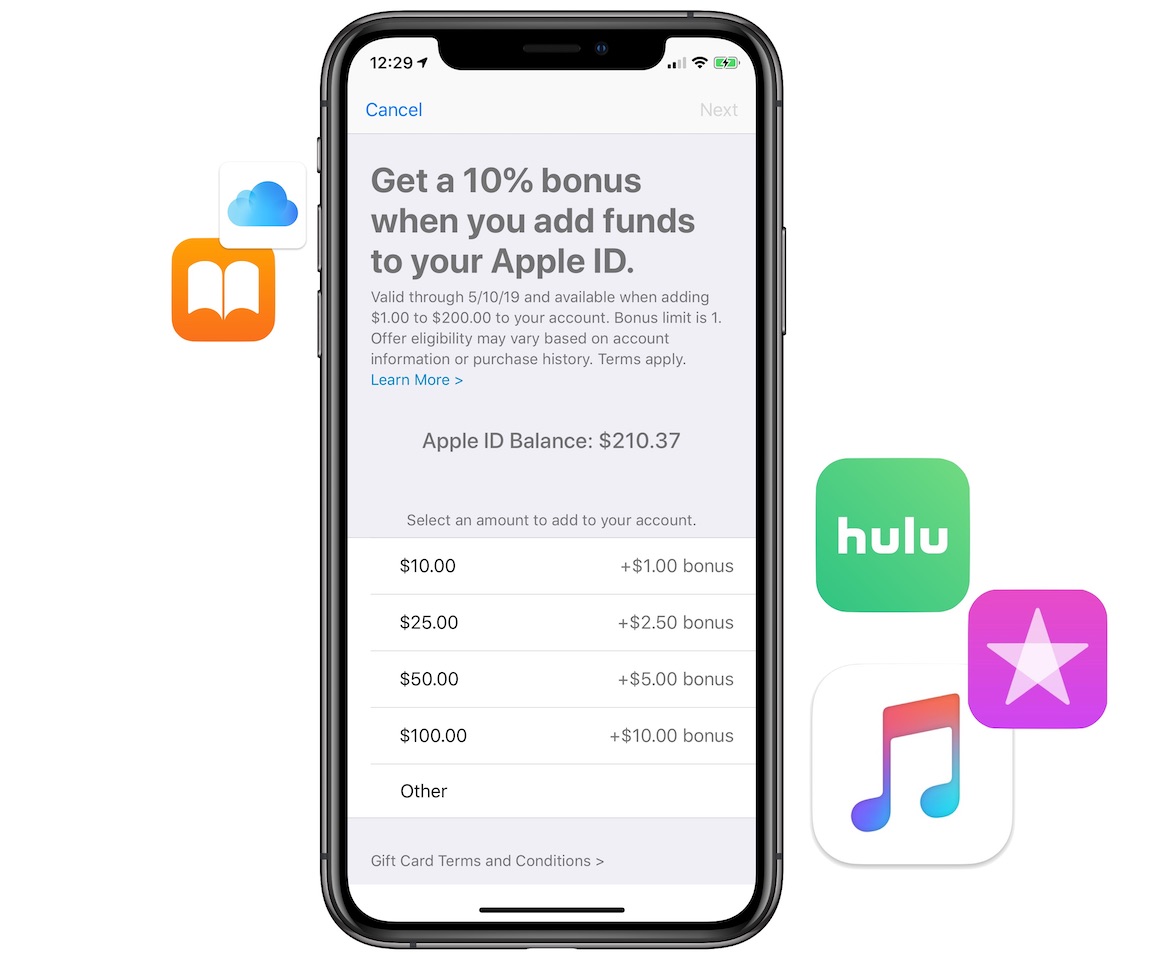

Apple Offering 10% Bonus iTunes Credit When Adding Funds to Your Apple ID


To add the funds on your iPhone, visit the App Store, tap your profile picture, and then tap "Add Funds to Apple ID." Here you can choose from $1.00 to $200.00 to add to your account in order to get the 10 percent bonus credit. This means that the most you can get out of the offer is $20 in free iTunes credit when adding $200 to your account. 

The promotion will last through Friday, May 10 and is available in the United States as well as other regions, including Japan. With the credit in your iTunes account, you can rent or purchase iTunes movies and TV shows, buy books in Apple Books, pay for your 
Apple Music or iCloud subscriptions, and much more.


Source: macrumors

Windows
Mac OS
iOS
Linux
3uTools
Win 64-bit For this device
V9.0 2025-11-11
Download
Win 32-bit For this device
V9.0 2025-11-11
Download
3uTools
Intel Chip How to Identify Chip Type
V9.0 2025-12-02
Download
Apple Silicon
V9.0 2025-12-02
Download
How to Identify Chip Type
1.  Click the Apple icon in the top-left corner of the screen and select About This Mac.
2.  Check the Processor or Chip field to determine if it is "Intel" or "Apple".
Please use the 3uTools PC client to install the iOS client:
1、 Install either the Windows or Mac version of 3uTools on your computer
2、 Open the PC client and connect your device to the computer via USB cable
3、 After the connection is successful, wait for the computer to automatically install the mobile app for the device, or locate “Install Mobile App” on the computer and manually click to install.
3uTools
deb file
V3.01 2025-11-20
Download
rpm file
V3.01 2025-11-20
Download
Windows
Windows
iOS
iOS
Android
Android
TV
TV
3uAirPlayer
Win 64-bit For this device
V6.0.2 2025-11-19
Download
Win 32-bit For this device
V6.0.2 2025-11-19
Download
iOS Device Mirroring (No App Required)
1、 Install 3uAirPlayer on the Windows PC
2、 Open Control Center and select Screen Mirroring
3、 From the list, choose your PC to start mirroring
4、 Or connect your iOS device to the PC via USB to begin mirroring
Scan to get "3uAirPlayer" App
3uAirPlayer TV V1.0.18
2025-11-28
TV System Requirements: Android 7.0 or later
Download the TV installation package, copy it to a USB drive, insert it into your TV or set-top box, then select the file from the home screen to install.




