 NEWS
NEWS
KeenLab Demos Jailbreak on iPhone XS Max Running iOS 12.2
 05/05/2019
 5725
5725
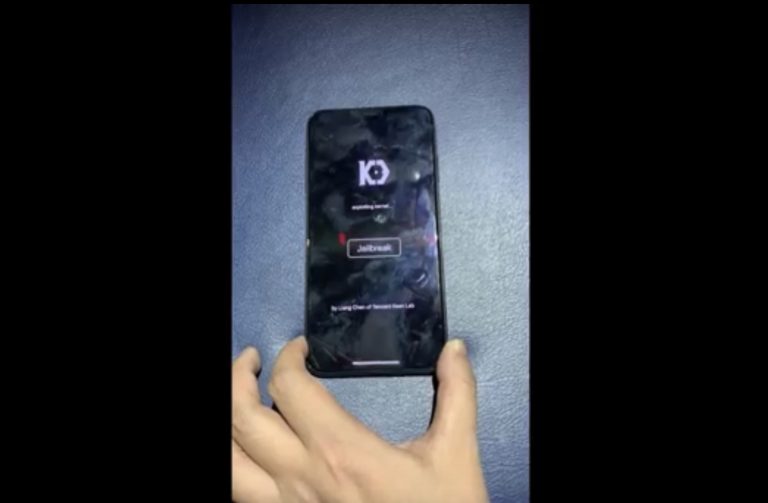
The talented Liang Chen of security research group KeenLab has once again flexed his hacking prowess this week after showing off what is believed to be the first-known jailbreakdemonstration to support iOS 12.2.
Chen’s video demonstration, which has been published on YouTube, demonstrates what appears to be an iPhone XS Max running iOS 12.2:
As is the case with most jailbreak demonstration videos, Chen starts off by showcasing the device type and software version in the Settings app. Shortly after, he launched KeenLab’s proprietary jailbreak app, taps on the jailbreak button, and pwns the handset.
After the jailbreak completes, the Cydia package manager then appears on the Home screen. Chen demonstrates a fully-functional Cydia app on the device by launching it afterward.
Thanks @InfiltrateCon and @daveaitel for inviting me to talk about iOS with @marcograss,at beautiful Miami beach. Had a nice time with @cmwdotme @CorelliumHQ,their iOS emulator is really awesome.Attached the iOS 12.2 demo video yesterday.#Infiltrate19 https://t.co/20jhhpj3mR
— Liang Chen (@chenliang0817) May 3, 2019
KeenLab is known for showing off jailbreaks on newer hardware and software combinations before any prominent jailbreak hackers or teams release a public jailbreak for similar setups; case in point, they were one of the first to jailbreak iOS 12 in and of itself. But they’re also notorious for never releasing anything, as they generally keep their work internal for testing purposes only.
That said, we wouldn’t recommend getting your hopes up based on the video demonstration you’ve just witnessed, but it’s still particularly exciting for two key reasons:
The device that was jailbroken is of the A12(X) variety
It presents evidence that a jailbreak is indeed possible to achieve on iOS 12.1.3-12.2
It purportedly includes PAC and APRR bypasses
All current jailbreaks, including the Electra Team’s Chimera jailbreak and Pwn20wnd’s unc0verjailbreak, only support up to iOS 12.1.2. It’s possible that future exploit releases could change that, but there’s no telling if and when such things could materialize.
Source: idb










