 NEWS
NEWS
Thieves are Using Apple IDs to Steal Money, Chinese Payment Firms Say
 10/12/2018
 3043
3043

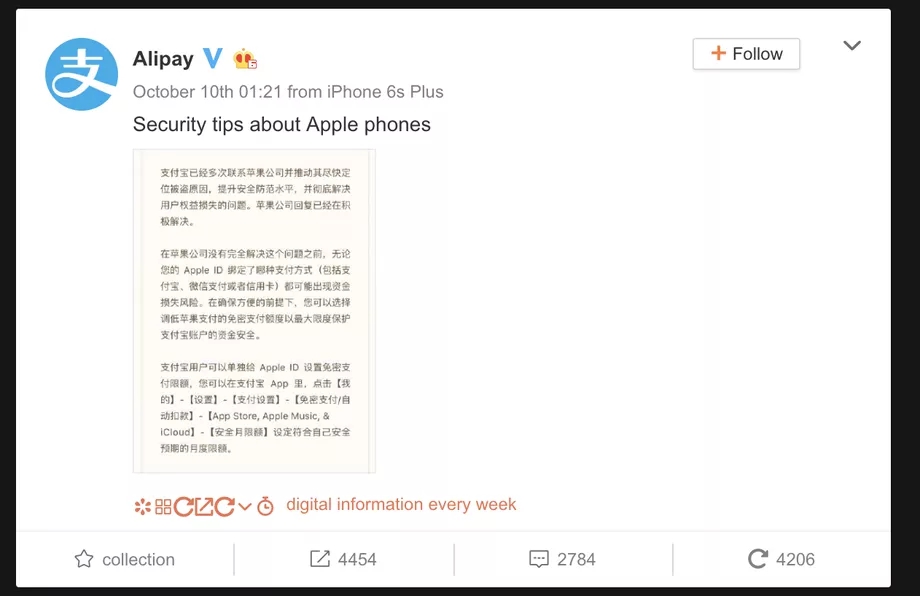
China’s two largest digital payments services, Alipay and WeChat Pay, have warned that thieves are using compromised Apple IDs to make purchases with people’s accounts. Alipay posted a warning offering “security tips about Apple phones,” which said that it had contacted Apple many times with hope of solving the issue, according to Reuters. Tencent, which owns WeChat Pay, later confirmed similar issues in a statement to Bloomberg.
“Since Apple hasn’t resolved this issue, users who’ve linked their Apple ID to any payments method, including Alipay, WePay, or credit cards, may be vulnerable to theft,” Alipay wrote, according to Bloomberg’s translation.
It’s not stated how widespread the issue is or how much money has been lost due to the thefts. Reuters reports that a Chinese state media outlet said some losses were as high as 2,000 yuan, or about $290 USD. Apple plans to refund money that was fraudulently spent, according to a source familiar with the matter.
Though the two companies are calling out Apple, it’s not clear if the issue is specific to a flaw in its ID system. It sounds as though there has been a problem with the theft of Apple ID credentials, which thieves are then using to log in to Apple accounts and make purchases using associated payments methods, like Alipay and WeChat Pay.
An Apple spokesperson said the company encourages customers to set a strong password and enable two-factor authentication to secure their accounts.
Still, it’s unusual to see large tech companies calling one another out like this, particularly over an issue that may not be exclusive to Apple. Alipay, which comes from an Alibaba spinoff called Ant Financial, has since removed its social media post calling out Apple, though not before the story spread across state and international media.
Some companies are proactive about searching out leaked account credentials, checking them against their own databases and then resetting passwords and warning users if they find a match. It’s unclear if Apple does this, but it speaks to the broader issue companies like Apple face: it’s not just their own sites and apps that need to be secure; they have to worry about common accounts and passwords being leaked from other sources as well.
Source: the verge










