
NEWS

Apple Discontinues Lightning to 30-Pin Adapter

10/09/2018

2216

Apple has discontinued its $29 Lightning to 30-pin Adapter and has removed the accessory from its website as of this week. 

The Lightning to 30-pin Adapter was first introduced in 2012 after Apple debuted the Lightning connector to replace to 30-pin connector that had been used in iPhones and 
iPads up to that point. 
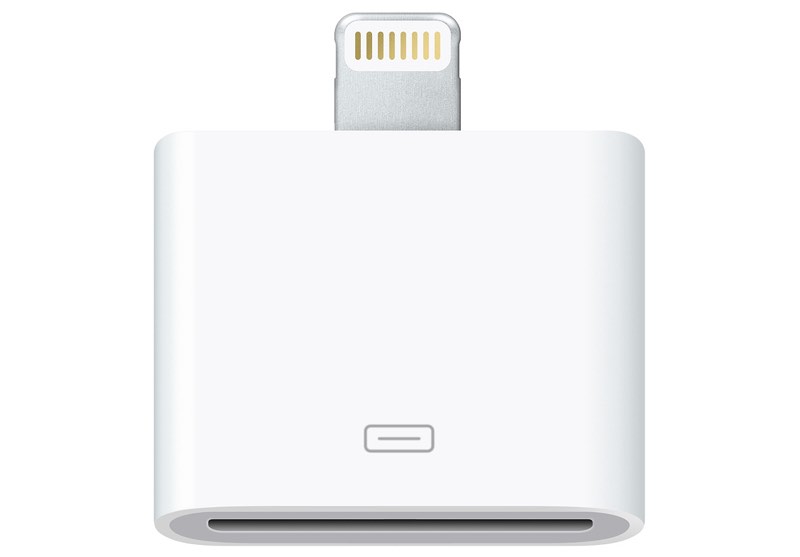
Apple Discontinues Lightning to 30-Pin Adapter


At the time of the transition, many people were using 30-pin cables for charging purposes for existing devices, prompting Apple to launch the adapter. The adapter was also useful for connecting existing 30-pin accessories to the new Lightning devices. 

Lightning connectors are significantly thinner and more compact than 30-pin and the switch over to the more svelte Lightning connector allowed Apple to save space for other components in iPhones and iPads. 

Apple's iPhone 5, fourth-generation iPad, and first-generation iPad mini were some of the first devices to use the new Lightning connector, which has been present in all mobile devices since 2012. 

It's now been six years since Lightning was introduced and there is no longer a need for the Lightning to 30-pin Adapter as a limited number of those cables are still in use in 2018.


Soure: macrumors

Windows
Mac OS
iOS
Linux
3uTools
Win 64-bit For this device
V9.01 2025-12-27
Download
Win 32-bit For this device
V9.01 2025-12-27
Download
3uTools
Intel Chip How to Identify Chip Type
V9.0 2025-12-02
Download
Apple Silicon
V9.0 2025-12-02
Download
How to Identify Chip Type
1.  Click the Apple icon in the top-left corner of the screen and select About This Mac.
2.  Check the Processor or Chip field to determine if it is "Intel" or "Apple".
Please use the 3uTools PC client to install the iOS client:
1、 Install either the Windows or Mac version of 3uTools on your computer
2、 Open the PC client and connect your device to the computer via USB cable
3、 After the connection is successful, wait for the computer to automatically install the mobile app for the device, or locate “Install Mobile App” on the computer and manually click to install.
3uTools
deb file
V3.01 2025-11-20
Download
rpm file
V3.01 2025-11-20
Download
Windows
Windows
iOS
iOS
Android
Android
TV
TV
3uAirPlayer
Win 64-bit For this device
V6.0.2 2025-11-19
Download
Win 32-bit For this device
V6.0.2 2025-11-19
Download
iOS Device Mirroring (No App Required)
1、 Install 3uAirPlayer on the Windows PC
2、 Open Control Center and select Screen Mirroring
3、 From the list, choose your PC to start mirroring
4、 Or connect your iOS device to the PC via USB to begin mirroring
Scan to get "3uAirPlayer" App
3uAirPlayer TV V1.0.18
2025-11-28
TV System Requirements: Android 7.0 or later
Download the TV installation package, copy it to a USB drive, insert it into your TV or set-top box, then select the file from the home screen to install.




