 NEWS
NEWS
Apple's AirPower Wireless Charger is Facing Over-Heating Issues
 09/18/2018
 2487
2487
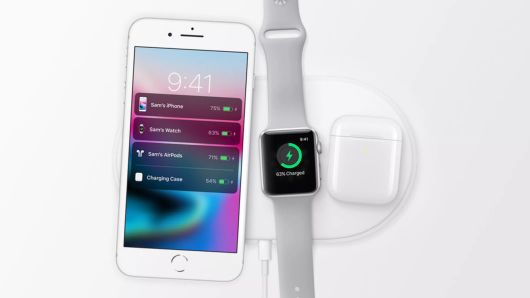
Apple's wireless AirPower charger hasn't launched because it's facing overheating issues, according to two separate reports.
During its 2017 iPhone event, Apple announced AirPower. It looked promising, since it's supposed to charge an Apple Watch, an iPhone and AirPods all at the same time without being plugged in.
But a year later, Apple still hasn't provided any additional information on AirPower, even during its iPhone event last week. It seems as though all mention of it has been removed from the company's website, too.
Tech writer Sonny Dickson, who has a track record of accurately reporting on Apple, said over the weekend that Apple has struggled with heat management, which affects accuracy and charging speed. Dickson thinks it's unlikely Apple will make its end-of-year release deadline.
Daring Fireball's John Gruber said something similar. Gruber said the charging pad, which uses a multicoil design, is "getting too hot -- way too hot."
"There are engineers who looked at AirPower's design and said it could never work, thermally. ... I think they've either had to go completely back to the drawing board and start over with an entirely different design, or they've decided to give up and they just don't want to say so," Gruber said.
Other chargers, like those offered by Samsung, sometimes ship with built-in fans to help with heat management. Samsung is also now shipping a new device that can charge a phone and a watch at the same time, but not three products.
Apple gave a broad timeline for AirPower's launch, saying it would go on sale in 2018. So it is still possible it can work out any issues before the end of the year.
Apple declined to comment.
Source: cnbc










