NEWS

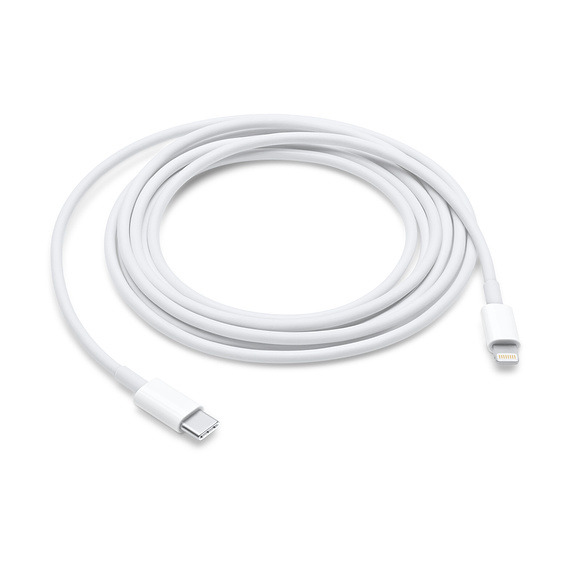
Third-party USB-C to Lightning Cables are Reportedly Happening

09/06/2018

3813

Third-party USB-C to Lightning Cables are Reportedly Happening


The company recently began notifying licensees in the MFi (Made for iPhone/iPad/iPod) program. The technology is said to require a "C94" Lightning connector, something Apple introduced with a new iteration of its own cable in May 2018. 

Third-party accessories will be able to deliver 18 watts of power in cases where the 
USB Power Deliverystandard is supported. 

No products will be ready for this fall's 
iPhone and iPad Pro launches, Macotakara suggested. In fact the first wave is only predicted to ship in mid-2019.

Third-party offerings will likely be a welcome relief to iPhone and iPad owners. Apple often charges a high premium for first-party accessories — a 
3.3-foot USB-C-to-Lightning cable is $19, and a 6.6-foot one is $35. A 6-foot USB-A-to-Lightning cable from Anker, in comparison, is just $8.99.

USB-C is now de facto on most Macs and is gaining traction on Windows computers. It is also being found more often on products like hubs and wall adapters.


Source: appleinsider

Windows
Mac OS
iOS
Linux
3uTools
Win 64-bit For this device
V9.0 2025-11-11
Download
Win 32-bit For this device
V9.0 2025-11-11
Download
3uTools
Intel Chip How to Identify Chip Type
V9.0 2025-12-02
Download
Apple Silicon
V9.0 2025-12-02
Download
How to Identify Chip Type
1.  Click the Apple icon in the top-left corner of the screen and select About This Mac.
2.  Check the Processor or Chip field to determine if it is "Intel" or "Apple".
Please use the 3uTools PC client to install the iOS client:
1、 Install either the Windows or Mac version of 3uTools on your computer
2、 Open the PC client and connect your device to the computer via USB cable
3、 After the connection is successful, wait for the computer to automatically install the mobile app for the device, or locate “Install Mobile App” on the computer and manually click to install.
3uTools
deb file
V3.01 2025-11-20
Download
rpm file
V3.01 2025-11-20
Download
Windows
Windows
iOS
iOS
Android
Android
TV
TV
3uAirPlayer
Win 64-bit For this device
V6.0.2 2025-11-19
Download
Win 32-bit For this device
V6.0.2 2025-11-19
Download
iOS Device Mirroring (No App Required)
1、 Install 3uAirPlayer on the Windows PC
2、 Open Control Center and select Screen Mirroring
3、 From the list, choose your PC to start mirroring
4、 Or connect your iOS device to the PC via USB to begin mirroring
Scan to get "3uAirPlayer" App
3uAirPlayer TV V1.0.18
2025-11-28
TV System Requirements: Android 7.0 or later
Download the TV installation package, copy it to a USB drive, insert it into your TV or set-top box, then select the file from the home screen to install.