 NEWS
NEWS
Chudo Brings Animoji-like Feature to Older iPhones
 09/11/2018
 3019
3019
With the iPhone X last year, Apple debuted its TrueDepth camera system which also paved the way for Animojis. The latter, in a nutshell, are animated emojis which one can create based on their own expression. Since Animoji requires the iPhone X’s TrueDepth camera to work, it was not available for older iPhones. However, a team of Russian engineers have developed a messaging app “Chudo” which brings Animoji-like functionality to older iPhones.

A user will have to take their photo with the Chudo app which will then proceed to generate over 30 personalized characters called Chumoji. Every character will have a unique look based on how the user itself looks like. The company uses AI, machine learning and its dataset of over 15,000 face scans to make this possible.
Essentially, Chudo brings an Animoji-like feature to older iPhones starting from the iPhone 5s and up. And it is due to this very reason that Apple is refusing to make the app live on the App Store. The App Store review team took over a month to arrive at their decision after the Chudo team submitted their app.
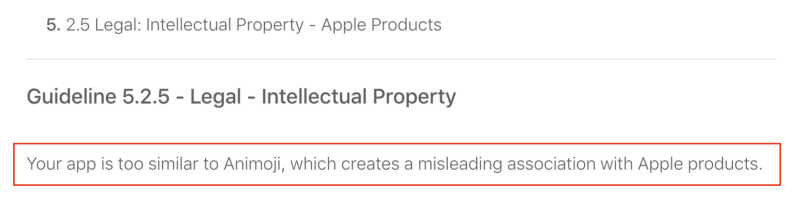
In his medium post, Ashot Gabrelyanov explains some of the differences between Animoji and Chudo. Unlike Animoji, Chudo is available for Android devices and it does not rely on 3D facial depth information to create animated characters. He also highlights that many other apps on the App Store are very similar to Animoji including Facehub whose characters look very similar to Apple’s own Animoji set.
The Chudo team is now trying to create some noise about Apple’s unfair decision on the internet in hopes that the company ends up approving their app on the App Store. Whether this method works or not is something that only time will tell.
Whatever the case might be, there’s no denying that the Chudo app does seem impressive especially since it brings Animoji-like feature to older iPhones lacking the required hardware solely using machine learning prowess.
Source: iphonehacks










