 NEWS
NEWS
Google Confirms it Tracks Users even When 'Location History' Setting is Disabled
 08/20/2018
 2560
2560
Google updated help center documentation to clarify its location data collection policies, changes made in light of recent revelations that the firm's apps and website continue to harvest user information even when a global "Location History" setting is disabled.
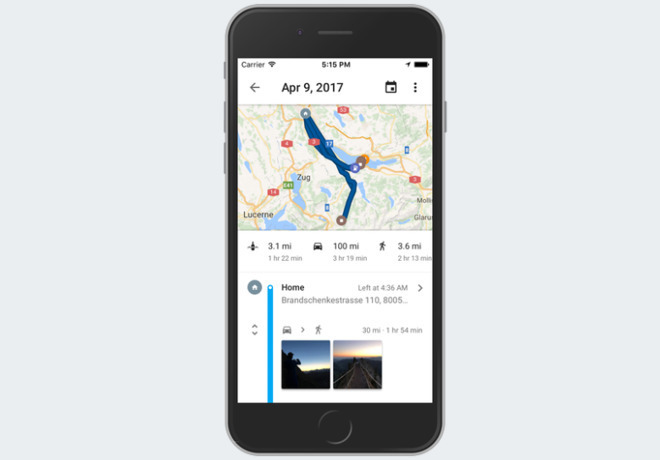
Earlier this week, the Associated Press, with help from Princeton researchers, broke news that Google logs users' location data even when features that are meant to stop the tracking are enabled. Whether on iOS or Android, many Google apps — including Google Maps — store a user's location whenever the app is opened.
In response to the report, Google updated its support documents to better explain the feature, called "Location History," though it continues to collect the data.
Apps like Google Maps require location access in order to provide real-time directions, meaning users must allow iOS to share that data with the app. In an effort to help users who would want to use the app, but don't want their data stored, Google offers a feature called Location History which can pause logging of that data.
Previously, Google's support page said Location History can be turned off by the user at any given time, assumedly preventing visited places from being stored on Google's servers.
"With Location History off, the places you go are no longer stored," the document read. The APinvestigation showed this was not the case.
Google's updated language now says, "This setting does not affect other location services on your device," and adds, "Some location data may be saved as part of your activity on other services, like Search and Maps."
"We have been updating the explanatory language about Location History to make it more consistent and clear across our platforms and help centers." Google said in a statement to the AP.
Users who wish to stop tracking altogether must disable "Web and App Activity" in addition to Location History. Leaving Web and App Activity enabled while turning Location History off only prevents additions to the Google Maps timeline, and does not stop data collection.
Google's help center update is not likely to appease users who have scrutinized the search giant and other tech companies for their user privacy policies. The move, however, provides at least some transparency on what data Google is harvesting from its customers.
Source: appleinsider









