NEWS

Science Proves Women’s Pockets are too Small for iPhones

08/20/2018

2355

Science Proves Women’s Pockets are too Small for iPhones


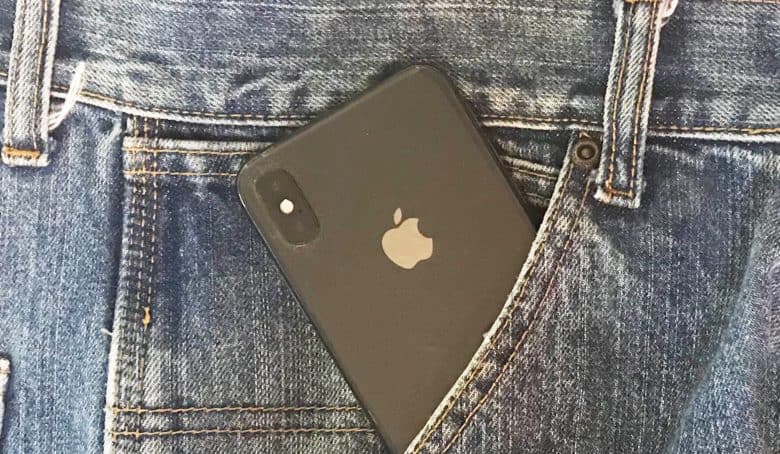
Ever tried to slip an iPhone into a pants pocket and run out of room with the device halfway in? Men are probably scratching their heads, but most women know the experience well.


A new study finds that the front pocket in women’s jeans average less than half the size of men’s. And that means less than half the brands studied can hold an iPhone X.


The study published in The Pudding measured the pocket sizes of 20 brands, including Levi’s, Old Navy, and Tommy Hilfiger. It found that an iPhone X would fit into just 40 percent of them.


But study authors Jan Diehm and Amber Thomas aren’t accusing Apple of making bulky devices. They point out that the iPhone X will fit in 100 percent of the front pockets in men’s jeans.


And the Samsung Galaxy S9 fits in even fewer women’s pockets: just 20 percent. It goes into virtually all men’s front pockets though.


The pockets sewn into women’s jeans are so small, an average-size woman can’t even put her hands in the offerings from 90 percent of brands. That’s not a problem for men.


The study authors aren’t chary about calling out how the sexes are treated differently. “For women, it was (and still is) about equality.”


Any pocket in a storm


The back pockets on jeans for the disparate genders are closer in size. “Men’s back pockets were a bit deeper but just about the same width as women’s,” said Diehm and Thomas. This likely explains why so many women carry their phone in the back pocket, despite the risk of sitting on it.


Source: cult of mac

Windows
Mac OS
iOS
Linux
3uTools
Win 64-bit For this device
V9.0 2025-11-11
Download
Win 32-bit For this device
V9.0 2025-11-11
Download
3uTools
Intel Chip How to Identify Chip Type
V9.0 2025-12-02
Download
Apple Silicon
V9.0 2025-12-02
Download
How to Identify Chip Type
1.  Click the Apple icon in the top-left corner of the screen and select About This Mac.
2.  Check the Processor or Chip field to determine if it is "Intel" or "Apple".
Please use the 3uTools PC client to install the iOS client:
1、 Install either the Windows or Mac version of 3uTools on your computer
2、 Open the PC client and connect your device to the computer via USB cable
3、 After the connection is successful, wait for the computer to automatically install the mobile app for the device, or locate “Install Mobile App” on the computer and manually click to install.
3uTools
deb file
V3.01 2025-11-20
Download
rpm file
V3.01 2025-11-20
Download
Windows
Windows
iOS
iOS
Android
Android
TV
TV
3uAirPlayer
Win 64-bit For this device
V6.0.2 2025-11-19
Download
Win 32-bit For this device
V6.0.2 2025-11-19
Download
iOS Device Mirroring (No App Required)
1、 Install 3uAirPlayer on the Windows PC
2、 Open Control Center and select Screen Mirroring
3、 From the list, choose your PC to start mirroring
4、 Or connect your iOS device to the PC via USB to begin mirroring
Scan to get "3uAirPlayer" App
3uAirPlayer TV V1.0.18
2025-11-28
TV System Requirements: Android 7.0 or later
Download the TV installation package, copy it to a USB drive, insert it into your TV or set-top box, then select the file from the home screen to install.