NEWS

Apple Pay May Account for Half of Mobile Wallet Users by 2020

07/31/2018

2097

Apple Pay May Account for Half of Mobile Wallet Users by 2020


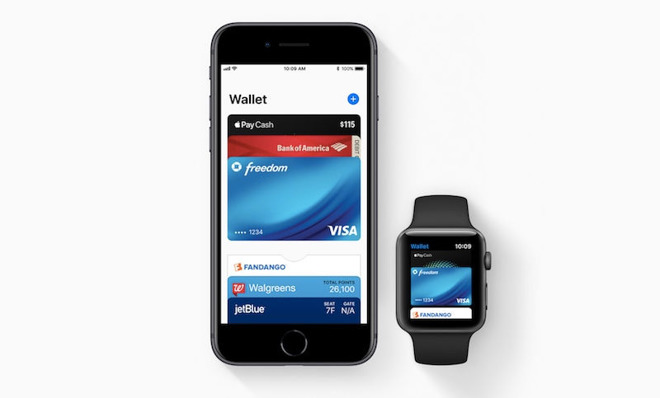
By 2020, the "OEM pay" market — meaning platforms like Apple Pay, Google Pay, and Samsung Pay — should hit 450 million users, Juniper Research said. The firm specifically noted it's expecting half of these people to be using Apple Pay, despite the broader global popularity of Android phones.

"We believe that growth over the next five years will continue to be dominated by offerings from the major OEM players," 
wrote Juniper's Nitin Bhas. "Additionally, we now have the likes of Huawei Pay and Fitbit Pay launching in several markets; this is now included in Juniper's contactless forecasts."

Fitbit Pay rolled out with the 
Ionic smartwatch last year, and has so far been limited to that and the Versa. Google Pay is supported by many more devices, even with the fragmentation of Android. 

Apple Pay has been supported on iPhones and iPads since 2014, the Apple Watch since 2015, and Macs since the introduction of Apple Pay on the Web. Touch Bar-equipped 
MacBook Pros can use Apple Pay without a companion device.

Looking again at its 2020 target, Juniper suggests that OEM pay systems will top $300 billion in transactions, accounting for 15 percent of all contactless in-store payments.

Apple Pay is continuing to evolve, for instance through the introduction of PayPal-like 
Apple Pay Cash transfers and the switch from Touch ID to Face ID on the iPhone X. More devices are likely to adopt Face ID, such as upcoming iPhones and iPads.


Source: appleinsider

Windows
Mac OS
iOS
Linux
3uTools
Win 64-bit For this device
V9.0 2025-11-11
Download
Win 32-bit For this device
V9.0 2025-11-11
Download
3uTools
Intel Chip How to Identify Chip Type
V9.0 2025-12-02
Download
Apple Chip
V9.0 2025-12-02
Download
How to Identify Chip Type
1.  Click the Apple icon in the top-left corner of the screen and select About This Mac.
2.  Check the Processor or Chip field to determine if it is "Intel" or "Apple".
Please use the 3uTools PC client to install the iOS client:
1、 Install either the Windows or Mac version of 3uTools on your computer
2、 Open the PC client and connect your device to the computer via USB cable
3、 After the connection is successful, wait for the computer to automatically install the mobile app for the device, or locate “Install Mobile App” on the computer and manually click to install.
3uTools
deb file
V3.01 2025-11-20
Download
rpm file
V3.01 2025-11-20
Download
Windows
Windows
iOS
iOS
Android
Android
TV
TV
3uAirPlayer
Win 64-bit For this device
V6.0.2 2025-11-19
Download
Win 32-bit For this device
V6.0.2 2025-11-19
Download
iOS Device Mirroring (No App Required)
1、 Install 3uAirPlayer on the Windows PC
2、 Open Control Center and select Screen Mirroring
3、 From the list, choose your PC to start mirroring
4、 Or connect your iOS device to the PC via USB to begin mirroring
Scan to get "3uAirPlayer" App
3uAirPlayer TV V1.0.18
2025-11-28
TV System Requirements: Android 7.0 or later
Download the TV installation package, copy it to a USB drive, insert it into your TV or set-top box, then select the file from the home screen to install.