NEWS

Apple Wins a Design Patent for 'AirPower' Prior to its Launch

07/30/2018

2296

Apple Wins a Design Patent for 'AirPower' Prior to its Launch


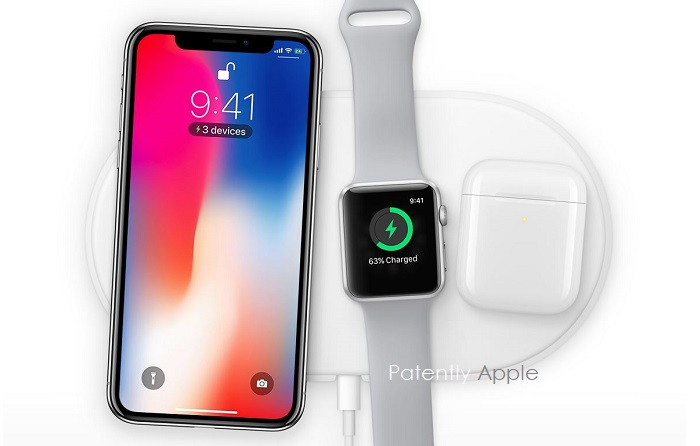
Last month Patently Apple posted a report titled "Apple Announcing AirPower too ahead of time was a Mistake." The report covered a Bloomberg report attempting to explain the delay in delivering Apple's new inductive charging pad called 'AirPower.' Hopefully Apple will officially launch AirPower next month when they introduce their next generation of iPhones or at least have it ready for the holiday season.


Our report today covers Apple being granted a design patent for AirPower in Hong Kong, China in addition to covering their ClassKit trademark filing in both the U.S. and Hong Kong.


Unlike "patent applications," design patents published by the U.S. and/or any Patent and Trademark Office never reveals pertinent information about a particular design. All we get are simple patent figure visuals as presented below.
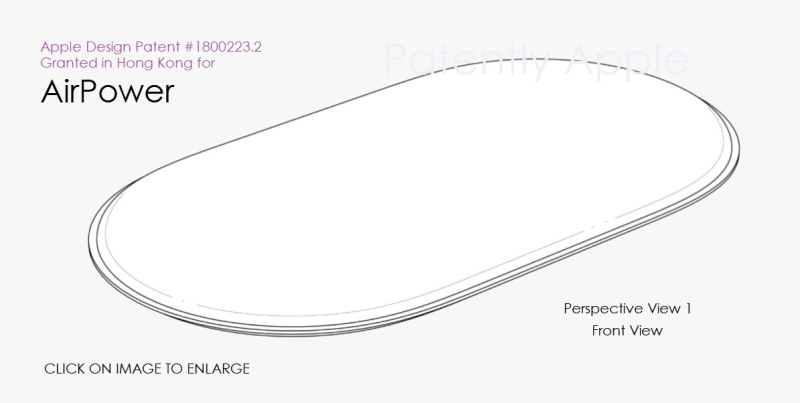
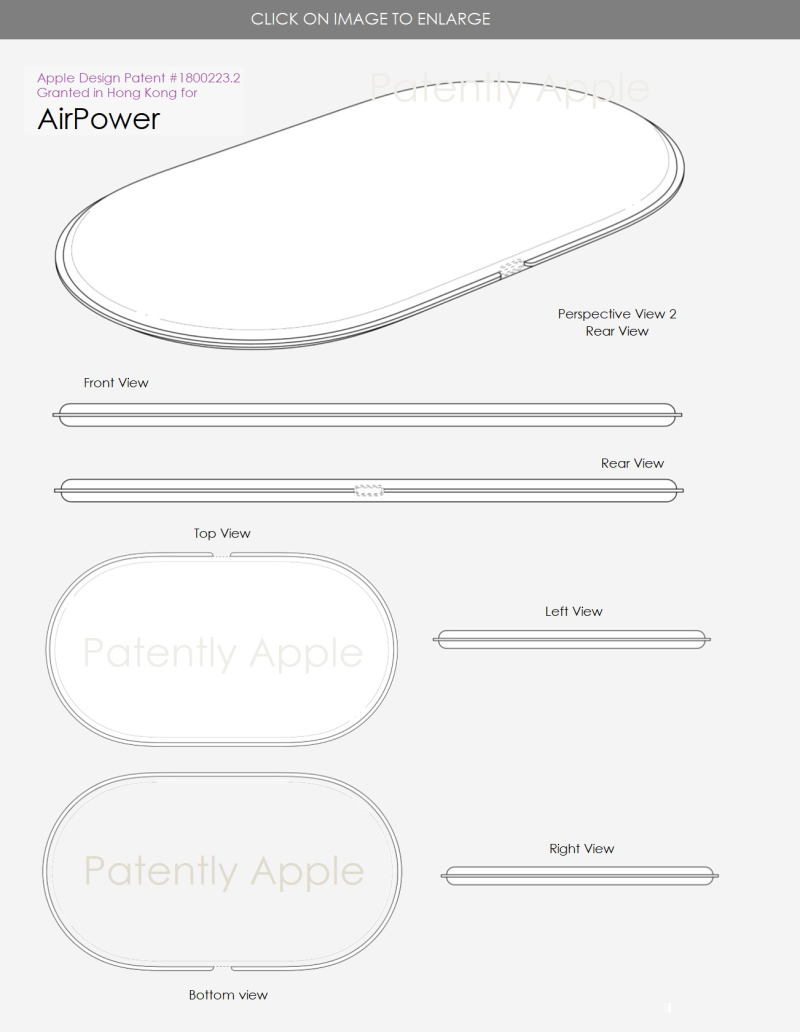
Apple Wins a Design Patent for 'AirPower' Prior to its Launch


Apple Wins a Design Patent for 'AirPower' Prior to its Launch


In other IP News, Apple filed for 'ClassKit' trademark earlier this month under #88023583 in the U.S. and filed it under International Class 9 covering "computer software used in developing other software applications; application development software." Apple filed for it in Hong Kong under #304585258.


Separately, Apple's icon for 'ClassKit' was filed with the U.S. Patent Office back in Q1 2018 under #87856167 and is now close to being granted registered status. It's in one of its final phases of being open to the public for opposition feedback. Once completed without complications, it'll be granted to Apple as an RTM (Registered Trademark).


Source: patently apple


Windows
Mac OS
iOS
Linux
3uTools
Win 64-bit For this device
V9.0 2025-11-11
Download
Win 32-bit For this device
V9.0 2025-11-11
Download
3uTools
Intel Chip How to Identify Chip Type
V9.0 2025-12-02
Download
Apple Chip
V9.0 2025-12-02
Download
How to Identify Chip Type
1.  Click the Apple icon in the top-left corner of the screen and select About This Mac.
2.  Check the Processor or Chip field to determine if it is "Intel" or "Apple".
Please use the 3uTools PC client to install the iOS client:
1、 Install either the Windows or Mac version of 3uTools on your computer
2、 Open the PC client and connect your device to the computer via USB cable
3、 After the connection is successful, wait for the computer to automatically install the mobile app for the device, or locate “Install Mobile App” on the computer and manually click to install.
3uTools
deb file
V3.01 2025-11-20
Download
rpm file
V3.01 2025-11-20
Download
Windows
Windows
iOS
iOS
Android
Android
TV
TV
3uAirPlayer
Win 64-bit For this device
V6.0.2 2025-11-19
Download
Win 32-bit For this device
V6.0.2 2025-11-19
Download
iOS Device Mirroring (No App Required)
1、 Install 3uAirPlayer on the Windows PC
2、 Open Control Center and select Screen Mirroring
3、 From the list, choose your PC to start mirroring
4、 Or connect your iOS device to the PC via USB to begin mirroring
Scan to get "3uAirPlayer" App
3uAirPlayer TV V1.0.18
2025-11-28
TV System Requirements: Android 7.0 or later
Download the TV installation package, copy it to a USB drive, insert it into your TV or set-top box, then select the file from the home screen to install.