NEWS

Apple Will End its Photo Printing Operation in September

07/13/2018

2408

Apple Will End its Photo Printing Operation in September


Apple is discontinuing its Photo Print Products service, which has been integrated into iPhoto since its launch in 2002. The service expanded from simple prints, to albums, photo books, and calendars. It stayed around on the Mac when iPhoto was replaced with the Photos app a couple of years ago, but the service never made the leap to iOS.


Later this year, Apple will stop offering the service altogether. A new message in macOS 10.13.6 Photos app says that final orders for Apple’s built-in service must be placed by September 30, 2018.
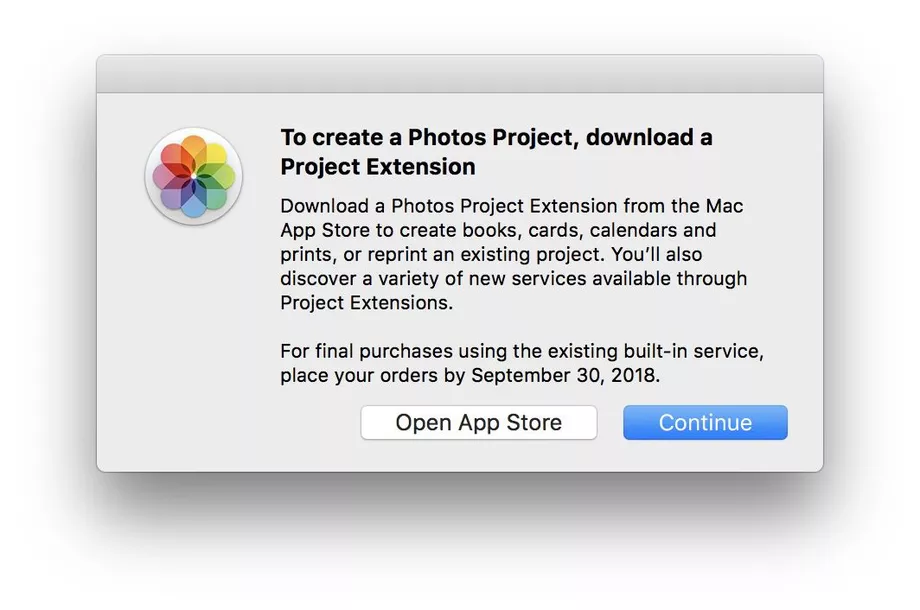

Apple Will End its Photo Printing Operation in September


In macOS Mojave, Photos already does not include any references to Apple’s integrated Photo Print Products service.


Apple’s recommendation is that customers download a third-party app that includes a Photos Projects extension. This API was introduced in High Sierra, and allows photo services to integrate photo printing UI inside the Apple Photos app. Payment processing and printing is all handled by the third-party.


Services that support Photos Projects include Mimeo Photos, Wix, GoodTimes, WhiteWall and Shutterfly.


Source: 9to5mac

Windows
Mac OS
iOS
Linux
3uTools
Win 64-bit For this device
V9.0 2025-11-11
Download
Win 32-bit For this device
V9.0 2025-11-11
Download
3uTools
Intel Chip How to Identify Chip Type
V9.0 2025-12-02
Download
Apple Silicon
V9.0 2025-12-02
Download
How to Identify Chip Type
1.  Click the Apple icon in the top-left corner of the screen and select About This Mac.
2.  Check the Processor or Chip field to determine if it is "Intel" or "Apple".
Please use the 3uTools PC client to install the iOS client:
1、 Install either the Windows or Mac version of 3uTools on your computer
2、 Open the PC client and connect your device to the computer via USB cable
3、 After the connection is successful, wait for the computer to automatically install the mobile app for the device, or locate “Install Mobile App” on the computer and manually click to install.
3uTools
deb file
V3.01 2025-11-20
Download
rpm file
V3.01 2025-11-20
Download
Windows
Windows
iOS
iOS
Android
Android
TV
TV
3uAirPlayer
Win 64-bit For this device
V6.0.2 2025-11-19
Download
Win 32-bit For this device
V6.0.2 2025-11-19
Download
iOS Device Mirroring (No App Required)
1、 Install 3uAirPlayer on the Windows PC
2、 Open Control Center and select Screen Mirroring
3、 From the list, choose your PC to start mirroring
4、 Or connect your iOS device to the PC via USB to begin mirroring
Scan to get "3uAirPlayer" App
3uAirPlayer TV V1.0.18
2025-11-28
TV System Requirements: Android 7.0 or later
Download the TV installation package, copy it to a USB drive, insert it into your TV or set-top box, then select the file from the home screen to install.