 NEWS
NEWS
More Buyers Prefer Apple’s Latest iPhones than in the Past
 07/12/2018
 2690
2690
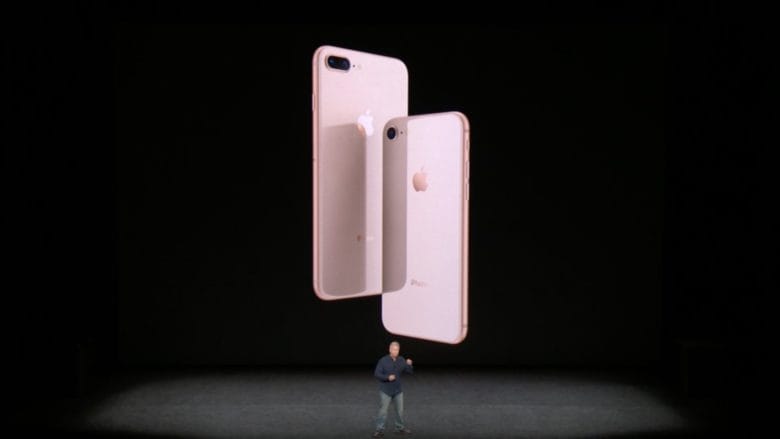
Buyers were slow to buy when the latest line of iPhones first launched. But new market research shows today’s shopper is more likely to slap down a credit card for a new model than the previous cycle.
The findings from the group M Science are in line with figures showing the popularity of the iPhone 8 and iPhone X.
The iPhone 8, in fact, recently surpassed the iPhone X as Apple’s hottest selling handset.
M Science tracks monthly sell-through of iPhones across the globe and gathers data from mobile-device activations.
Sales of the iPhone 8 and 8 Plus started off slow last year. Some analysts speculated buyers waited for the release of the iPhone X before making a decision. Apple is expected to release three new phones this fall.
According to the M Science report, iPhone 8 and X sales grew 3 percent in May compared to the iPhone 7 lineup for May 2017.
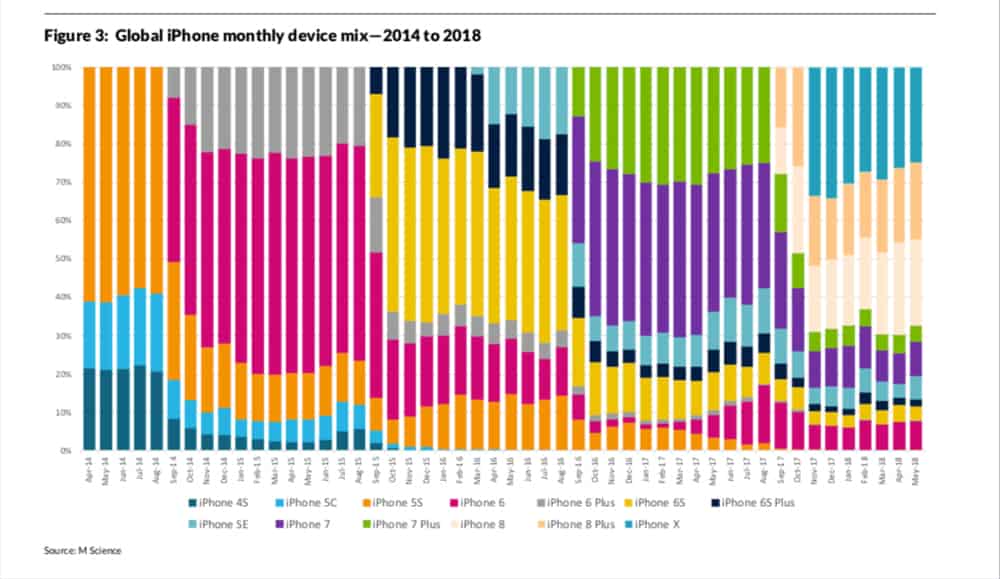
“New-device sales accelerated further over the most recent four weeks in our data, with sales up 14 percent versus the iPhone 7-series a year ago,” the report said. “Ultimately, weekly sales trends are subject to high levels of variability, but should this trend continue, it could power total device sell-through into positive territory for the full quarter.”
The report also showed a 5 percent dip in legacy device sales, like the iPhone SE or iPhone 6s. But the iPhone 6 is a different story. It seems to be sticking around.
M Science said the 2014 phone represented 5 and 10 percent of global sell-through in May. The device is selling well with prepaid carriers and is a low-cost phone in emerging markets.
A separate M Science report showed people are holding onto their iPhones longer. According to the website Market Watch M Science found the average holding period for a phone is 727 days, up from 667 days during the 2014-2015 “super cycle.”
Many may be holding on longer because the phones work fine or they were purchased on a two-year loan through a carrier.
Source: cult of mac










