 NEWS
NEWS
Xiaolian Jailbreak is Apparently Fake? You Should Wait for Electra Update
 06/26/2018
 4938
4938
It seems that there is a new jailbreak in town but should you use it? While iPhone and iPad owners may now have access to this so called Xiaolian iOS 11.2.6 jailbreak, a number of well-placed individuals in the jailbreak community are advising against it. And there’s a good reason as to why they are doing that.
The world may have been waiting patiently for the Electra iOS 11.3.1 jailbreak release, but a new “team” has swooped in and released what is being called the Xiaolian jailbreak.
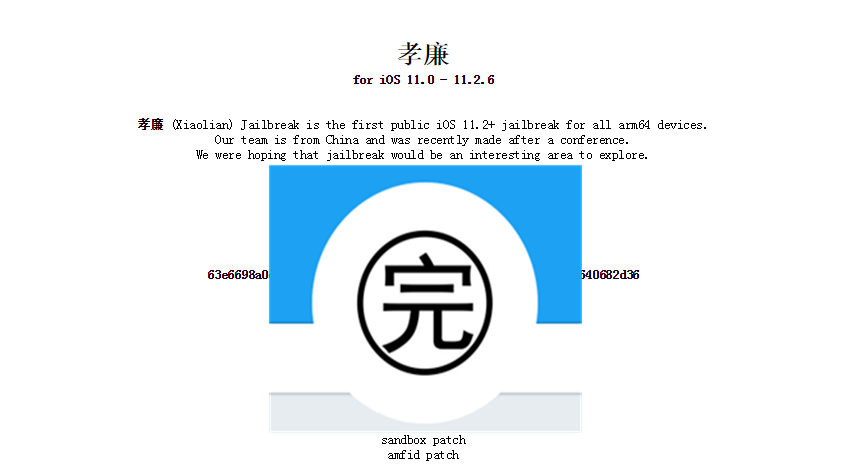
We found that Xiaolian team's logo is a Chinese character "完"? If Xiaolian developers who can understand Chinese, why would they mark their logo as "完" instead of "孝廉'? Is this intends to make fun with us as the website(xiaolian.fun) indiates?
In addition, it is deliberately that all English words Xiaolian are changed to Chinese "孝廉", which can be find from their Twitter and the official website. In fact, we don't think it is necessary. After all, the entire paragraph is English. Why they insist to use these two Chinese characters? We have never seen the team send any messages in Chinese, except for the word Xiaolian(孝廉).
To sum up the above several doubts, it can be shown that Xiaolian team may not really formed from China, but it also has others.
And why you should avoid it? First and foremost, this jailbreak isn’t quite as far-reaching as the Electra jailbreak is going to be. By that, we mean that this jailbreak only supports up to iOS 11.2.6, whereas the new Electra release will take things up a few notches all the way up to iOS 11.3.1. Additionally, and more importantly, @nullriver – one of the Electra team members – has confirmed that this jailbreak has been put together by a “mash-up of the old Electra source code, but with multi-path instead of async_awake.”
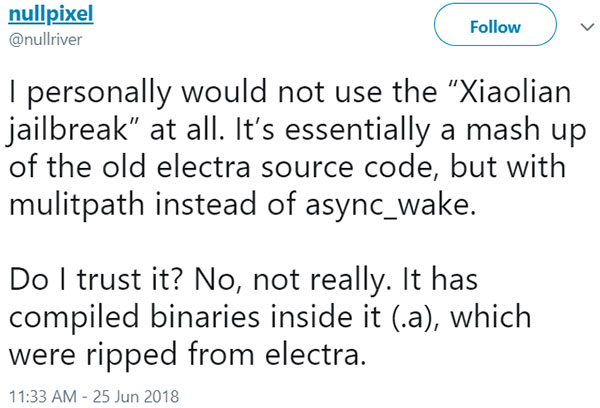
The same developer has also stated that the new jailbreak comes complete with a lot of compiled binaries inside which obfuscates a lot of what is actually going on internally and “makes it non-compliant with the license.” An investigation into the codebase has also shown that the jailbreak seems to ship with a least one helper style implementation, which we’ve previously seen with older jailbreaks from Chinese teams, such as Pangu.
And if all that wasn’t enough, further investigation by Pwn20wnd has revealed that the jailbreak has actually been put together by @ijapija00, who doesn’t have a good track record or reputation in the jailbreak community.
So yes, the general consensus appears to be that it’s really not in the best interests of anyone to trust this particular jailbreak and to sit patiently and wait for the new version of Electra to drop in the coming future.
Our advice? Avoid Xiaolian at all costs and wait for the real deal (Electra). You have been warned. I think it probably fake. Downloading and testing it only if you are a developer/experienced user and own a compatible/spare device. Then we can draw a conclusion.










