 NEWS
NEWS
iPhone Might Soon Offer Handwriting Recognition
 06/25/2018
 2443
2443
Apple is actively working on a handwriting recognition system. This raises the distinct possibility that you might someday enter text by writing words on your iPhone or iPad screen, rather than tapping out letters on a virtual keyboard.
Some will remember that Apple’s tried something similar before and it didn’t go well.
Back in the 1990s, the Apple Newton was a surprisingly powerful handheld computer. One of the highlights was handwriting recognition, but this performed poorly in the first generation of this PDA. The problems were ironed out in later software versions, but not in time to prevent Steve Jobs from killing the device.
But that was decades ago, and the technology has improved tremendously. Users of Windows tablets can enter text by writing on the touchscreen, and this type of input can be easily added to Android devices.
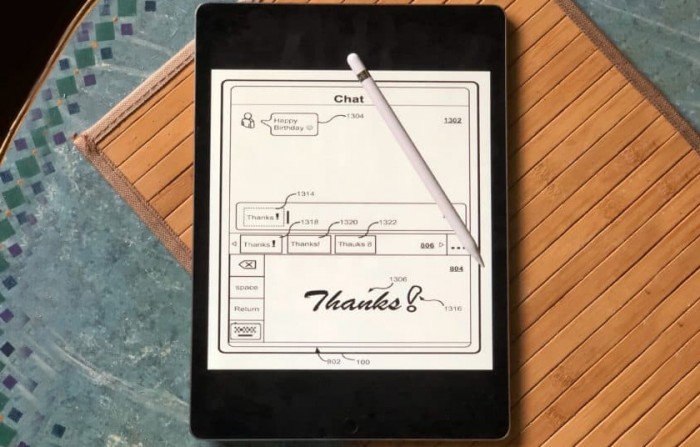
iPhone handwriting recognition
Apple seems to have moved on from the earlier failure, and recently filed for a patent for Managing Real-Time Handwriting Recognition. It’s just what it sounds like: “a technique for providing handwriting input functionality on a user device.”
The patent was filed for on February 15, indicating that this is something Apple is actively working on. It was published today by the U.S. Patent and Trademark Office.
Typing on a tiny on-screen keyboard is something most smartphone users have become accustomed to, but it’s not ideal. And tablet users have the opposite problem: carrying a 12.9-inch iPad Pro while typing is awkward. It’s likely many users of both types of iOS devices would find writing words on the screen more convenient.
The patent covers using a finger or a stylus like the Apple Pencil.
The Chinese connection
As much as handwriting recognition might benefit those who do their writing in English, Spanish, or similar languages, The Apple programmers who put together this filing are looking farther east… all the way to China.
This is made clear in the description. “In particular, real-time, stroke-order and stroke-direction independent handwriting recognition is provided for multi-character, or sentence level Chinese handwriting recognition,” says part of the summary for this iPhone handwriting recognition patent.
Chinese is written in logograms, not letters. Each character is an entire word so there are many thousands of them necessary. That makes using a keyboard very difficult. This patent would allow users to hand write Chinese characters on the screen and have them recognized.
But the patent filing doesn’t shut the door on westerners: Many of the images included in the patent filing show words written by hand in English being turned into text.
Whether Apple’s patent filing will lead to this feature in future versions of iOS remains a subject of speculation. But the company is undeniably considering it.
Source: cultofmac









