 NEWS
NEWS
Starbucks Bought 23,000 iPads for Racial Bias Training Day
 06/20/2018
 2537
2537
Following a national controversy after police were called on a pair of African-American men sitting in a store in Philadelphia, Starbucks held nationwide racial bias training on May 29, closing all of its more than 8,000 stores in the United States to show employees a series of videos about racial bias and elaborating on the company's policies.
The videos were shown on iPads, and as AppleInsider and other media outlets reported at the time, Starbucks purchased a large number of the devices which were delivered to the stores.
A Starbucks spokesperson told AppleInsider that the company purchased 23,000 iPads specifically for the training, and that the iPads will be used in the future for further educational and training purposes.
Starbucks has 8,222 company-owned stores in the U.S., so that works out to an average just under three iPads per store. Social media chatter from Starbucks employees had indicated that most stores had received two, three, or as many as five of the devices, depending on the size of the store and number of employees. Tweets from employees also indicate that the iPads are from the current generation.
The 2018 iPad starts at $329 for the 32GB version, which indicates that Starbucks spent around $7.5 million on the purchase, although it's very possible the company received a bulk discount rate of some sort from Apple or a third party. Starbucks did not answer questions about the exact process of how it procured the iPads, but the spokeswoman did use the word "purchased," rather than characterize it as a donation.
Starbucks founder Howard Schultz, who has since stepped down from his position as chairman, told CNN last month that the training had cost the company "tens of millions of dollars" in total, in part due to the lost productivity from the closed stores, although he said he considered that more of an "investment" than an expense. Starbucks earned over $6 billion in revenue in its most recent quarter.
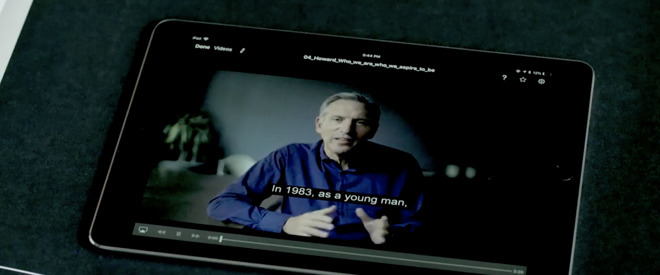
As for what the iPads will be used for now that the training is over, the spokeswoman said that "they will continue to be a key part of the additional 12 modules and future learning and development content for our store teams."
An informal questioning by AppleInsider of Starbucks employees over the last few weeks has found that most employees hadn't been told a specific purpose for the devices following the training, although one employee said that the iPads her location received will be used as supplementary computers.
It does not appear Starbucks has any plans to use the iPads as part of any point-of-sale system. In 2012, Starbucks made a deal with Square to operate such a system, but that deal fell apart two years later. Starbucks' mobile app has since become phenomenally successful, ranking ahead of Apple Pay in terms of mobile payment user adoption, as of last month.
Source: appleinsider









