 NEWS
NEWS
Apple Will Close ‘Technological Loophole’ that Law Enforcement Uses to Access iPhones
 06/14/2018
 3219
3219
Apple bills itself as a company that cares about security and user privacy, and it has banked its ongoing efforts on that vision.
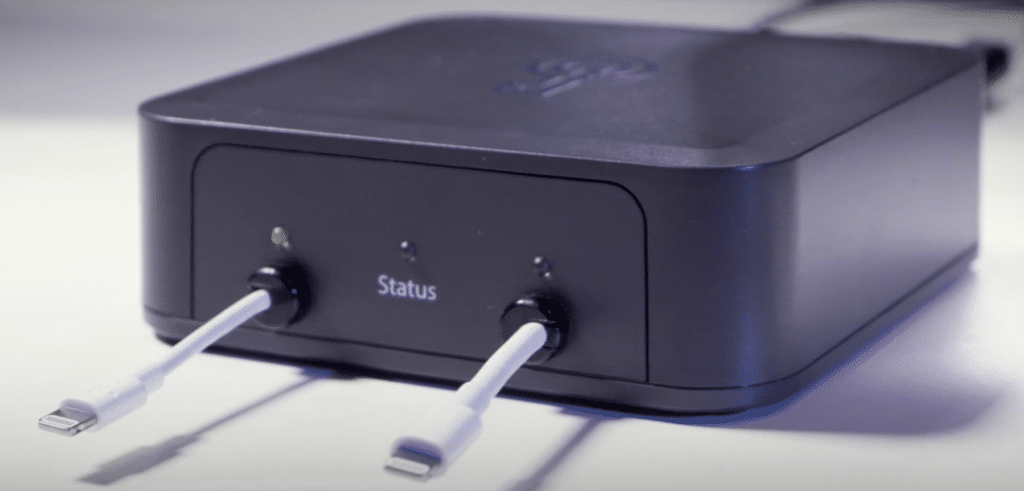
It looks like that trend will continue into the future. The New York Times is reporting on Wednesday that Apple is currently working on closing down the “technological loophole” that law enforcement agencies can use to physically connect to an iPhone or iPad and brute force their way into the device. That includes the USB-based GrayKey box, released by the security firm Grayshift, and is currently in use by law enforcement across the United States.
“Apple said it was planning an iPhone software update that would effectively disable the phone’s charging and data port — the opening where users plug in headphones, power cables and adapters — an hour after the phone is locked. While a phone can still be charged, a person would first need to enter the phone’s password to transfer data to or from the device using the port.”
We have previously heard about the iOS 12 feature that disables unauthorized USB access after 1 hour of inactivity. This means that, unless the USB-based device is connected within an hour, the iOS-based device running iOS 12 will not let the device connect at all after that time has transpired. That includes the aforementioned GrayKey box.
Law enforcement, meanwhile, is not too happy with Apple’s focus on user security and privacy:
“If we go back to the situation where we again don’t have access, now we know directly all the evidence we’ve lost and all the kids we can’t put into a position of safety,” said Chuck Cohen, who leads an Indiana State Police task force on internet crimes against children. The Indiana State Police said it unlocked
96 iPhones for various cases this year, each time with a warrant, using a $15,000 device it bought in March from a company called Grayshift.”
The report indicates that Apple has been working on this particular security loophole for quite some time, long before it became the go-to option for law enforcement. Here is what an Apple spokesperson had to say on the matter:
“We have the greatest respect for law enforcement, and we don’t design our security improvements to frustrate their efforts to do their jobs.
Source: iphonehacks









