 NEWS
NEWS
Speed Testing iOS 11 Versus iOS 12 on an iPhone X
 06/08/2018
 3200
3200
With the unveiling of iOS 12 at Apple's WWDC, Craig Federighi mentioned the company's focus on performance in its upcoming operating system update. AppleInsider starts speed testing the iOS 12 developer beta, comparing it with iOS 11 running on an iPhone X, to see how much faster it really is.
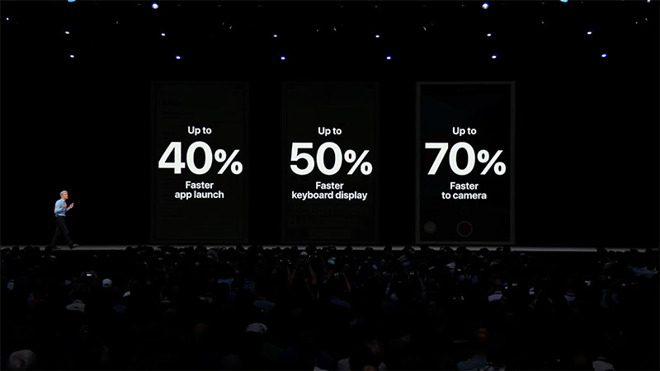
The iPhone 6s Plus was said to launch up to 40 percent faster, with the keyboard said to display up to 50 percent quicker, and a 70 percent faster shift to the camera. Under load, the same iPhone was claimed to launch apps twice as fast. Additionally, the CPU ramp-speed is increasing across not just older devices, but also the newer ones as well, meaning improvements will also be visible in Apple's current-generation of devices.
The iPhone 6s, cited by Apple in the keynote speech, will be three years old when iOS 12 releases, and certainly qualifies as an older iPhone that is still supported by iOS 12.
With that said, a lot of us are Apple enthusiasts that use newer devices like the iPhone 8 and iPhone X. To get a baseline on more modern hardware, we decided to pit Apple's iPhone X flagship running iOS 11 against another iPhone X with the first developer beta of iOS 12 installed, and looked for any performance improvements between the two smartphones.
Just from simply turning on both phones, it was noted iOS 11 started up quite a bit faster than iOS 12.
Once up and running, we moved on to Geekbench 4 with all other apps closed. The benchmark tool launched on both iPhones at the exact same time.
Benchmark scores have the potential to improve with incremental iOS updates, due to code optimizations implemented over time, so we were surprised to see that the results came in incredibly close.
Running the GPU test, there was a distinct improvement of over 20 percent when testing out Metal.
Moving on to our suite of apps, we started off with a variety of games. Fortnite launched slightly faster on iOS 12, but the difference isn't that notable. Pokemon Go launched more than a second faster in iOS 12, while Vainglory improved its launch time by over two seconds.
Running native apps, the launch speed for News was fairly similar across both phones, with the same experience found with Stocks, Voice Memos, and iBooks. The time it took to launch Zillow was close between the two devices, and our own AppleInsider app was slightly faster to get running on iOS 12. Amazon Prime Video was two seconds faster on iOS 11, while the speed of firing up Google Drive was roughly the same.
Testing a few more native apps, TV launched almost instantly on iOS 12, while it took three seconds in iOS 11. Maps also started slightly faster with iOS 12, and Photos was about the same speed on both.
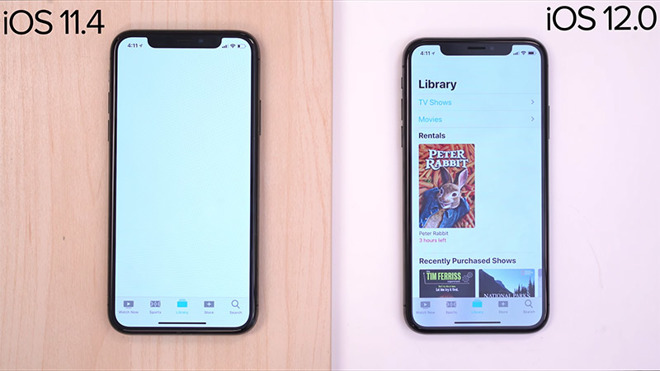
We then wanted to test RAM management, so we re-launched each app to see if iOS 12 would keep more apps running in the background. It turns out both OS versions kept each app in the background and launched them just as quickly, suggesting there to be little difference between the two in this area.
So far, we're really impressed with iOS 12. Not only is it quicker in many apps, but we're also seeing an improvement in apps that take advantage of Metal. Typically when Apple releases a beta of an upcoming iOS release, it's initially slower, but gets faster when the full version is released to the public. It's great to see the first developer preview working so quickly, and we're excited to see iOS 12 launch this fall.
AppleInsider is also working on a speed comparison between iOS 11 and iOS 12 using the iPhone 6 and iPad mini 2, which should give users of older iOS devices an idea of what to expect in the future.
Source: appleinsider









