NEWS

Apple will Let Developers Port iOS Apps to macOS in 2019

06/05/2018

2843

Apple will Let Developers Port iOS Apps to macOS in 2019


Macs and iOS devices have been getting closer and closer to each other in terms of functionality, and now Apple is bridging that gap with an announcement that the company will be making it easier to port iOS applications over to macOS at its WWDC.


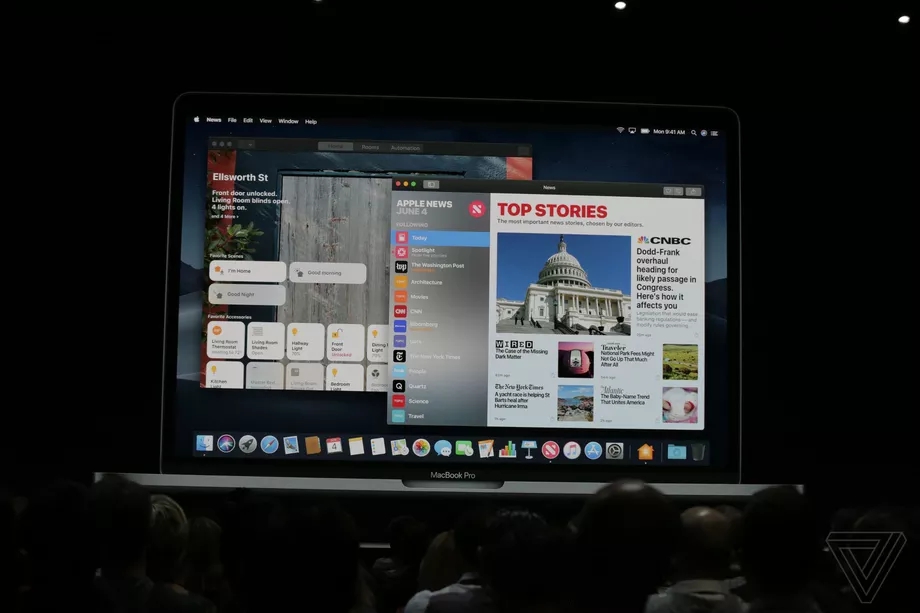
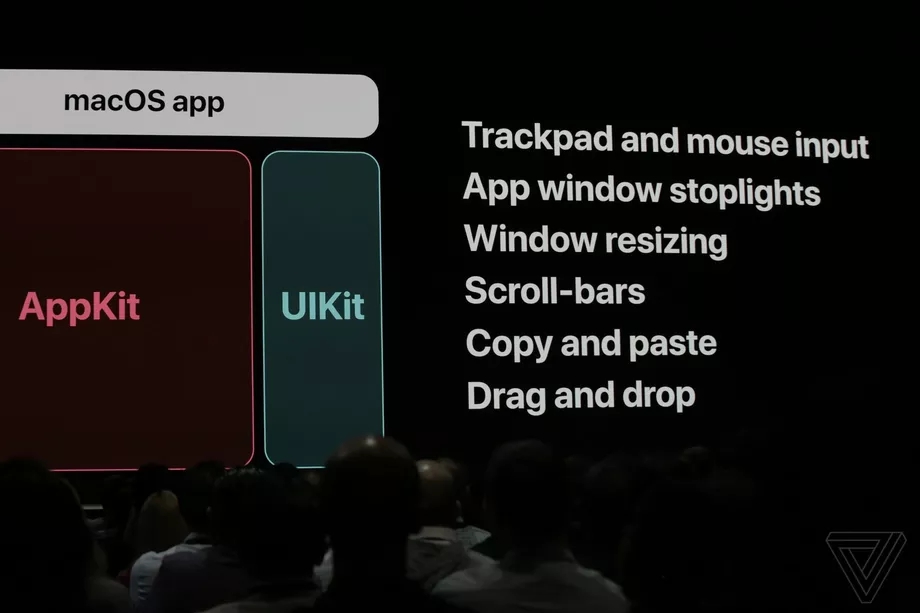
Apple has already been testing its new frameworks, with the recently revealed News, Stocks, Voice Memos, and Home apps that Apple introduced with Mojave all actually being ported versions of the iOS apps. According to Apple, the cross-platform porting is made possible by integrating elements of iOS’s UIKit frameworks directly into macOS, alongside the existing AppKit framework used on desktop.

Apple will Let Developers Port iOS Apps to macOS in 2019


The cross-platform porting is still in development, with Apple promising to release the functionality to developers sometime in 2019. But as an early sneak preview, it’s an interesting look at how Apple’s two biggest software platforms will soon get even closer together in the near future.


Source: the verge

Windows
Mac OS
iOS
Linux
3uTools
Win 64-bit For this device
V9.0 2025-11-11
Download
Win 32-bit For this device
V9.0 2025-11-11
Download
3uTools
Intel Chip How to Identify Chip Type
V9.0 2025-12-02
Download
Apple Chip
V9.0 2025-12-02
Download
How to Identify Chip Type
1.  Click the Apple icon in the top-left corner of the screen and select About This Mac.
2.  Check the Processor or Chip field to determine if it is "Intel" or "Apple".
Please use the 3uTools PC client to install the iOS client:
1、 Install either the Windows or Mac version of 3uTools on your computer
2、 Open the PC client and connect your device to the computer via USB cable
3、 After the connection is successful, wait for the computer to automatically install the mobile app for the device, or locate “Install Mobile App” on the computer and manually click to install.
3uTools
deb file
V3.01 2025-11-20
Download
rpm file
V3.01 2025-11-20
Download
Windows
Windows
iOS
iOS
Android
Android
TV
TV
3uAirPlayer
Win 64-bit For this device
V6.0.2 2025-11-19
Download
Win 32-bit For this device
V6.0.2 2025-11-19
Download
iOS Device Mirroring (No App Required)
1、 Install 3uAirPlayer on the Windows PC
2、 Open Control Center and select Screen Mirroring
3、 From the list, choose your PC to start mirroring
4、 Or connect your iOS device to the PC via USB to begin mirroring
Scan to get "3uAirPlayer" App
3uAirPlayer TV V1.0.18
2025-11-28
TV System Requirements: Android 7.0 or later
Download the TV installation package, copy it to a USB drive, insert it into your TV or set-top box, then select the file from the home screen to install.