NEWS

Apple Will Partially Refund some iPhone Users Who Paid for Battery Replacements Last Year

05/24/2018

2531

Apple Will Partially Refund some iPhone Users Who Paid for Battery Replacements Last Year


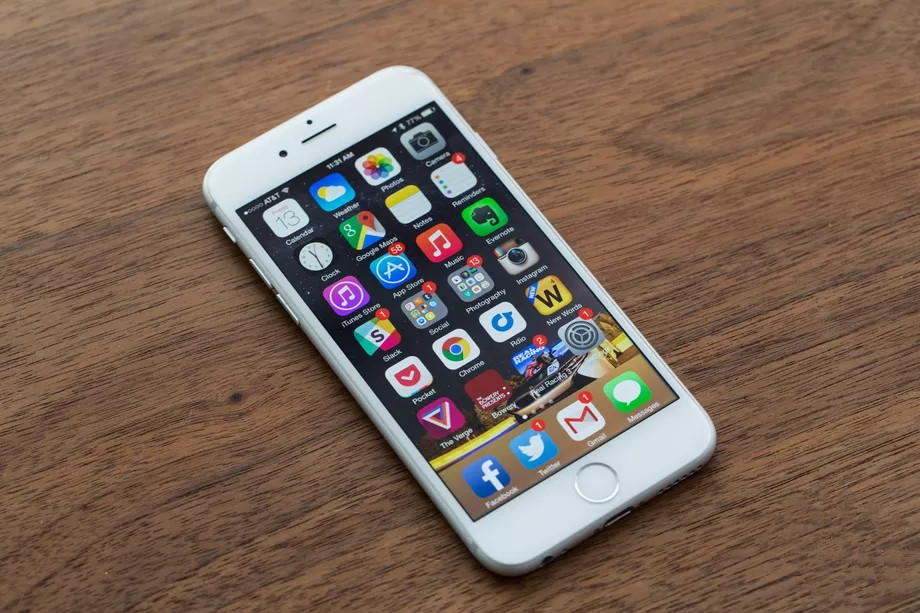
Apple said today it’ll refund customers who paid for out-of-warranty battery replacements on their iPhone 6 or later devices between January 1st, 2017 and December 28th, 2017. They’ll receive a $50 credit so long as the battery swap was done at an Apple-authorized service location. It’s not a total refund, but it brings the price down to the discounted one that Apple is currently offering for battery changes.


The credit will come as an electronic funds transfer or a credit on the credit card used to pay for the battery. Customers might have to provide a proof of purchase. Apple says it’ll reach out to eligible customers through email between May 23rd and July 27th with instructions on how to proceed.


Apple hinted that this rebate might be coming in a letter to US senators in February.


You might remember Apple’s major battery debacle late last year in which the company admitted to slowing down phones as their batteries lost charge. The company said it did this to prevent older phones with older batteries from completely shutting off when they were running low on power, but it didn’t outwardly tell users it was doing this. The entire situation resulted in the US Department of Justice investigating the company, and Apple eventually dropping the price on battery replacements to $29 — a $50 discount — for a year. That offer expires in December.


Source: the verge

Windows
Mac OS
iOS
Linux
3uTools
Win 64-bit For this device
V9.0 2025-11-11
Download
Win 32-bit For this device
V9.0 2025-11-11
Download
3uTools
Intel Chip How to Identify Chip Type
V9.0 2025-12-02
Download
Apple Chip
V9.0 2025-12-02
Download
How to Identify Chip Type
1.  Click the Apple icon in the top-left corner of the screen and select About This Mac.
2.  Check the Processor or Chip field to determine if it is "Intel" or "Apple".
Please use the 3uTools PC client to install the iOS client:
1、 Install either the Windows or Mac version of 3uTools on your computer
2、 Open the PC client and connect your device to the computer via USB cable
3、 After the connection is successful, wait for the computer to automatically install the mobile app for the device, or locate “Install Mobile App” on the computer and manually click to install.
3uTools
deb file
V3.01 2025-11-20
Download
rpm file
V3.01 2025-11-20
Download
Windows
Windows
iOS
iOS
Android
Android
TV
TV
3uAirPlayer
Win 64-bit For this device
V6.0.2 2025-11-19
Download
Win 32-bit For this device
V6.0.2 2025-11-19
Download
iOS Device Mirroring (No App Required)
1、 Install 3uAirPlayer on the Windows PC
2、 Open Control Center and select Screen Mirroring
3、 From the list, choose your PC to start mirroring
4、 Or connect your iOS device to the PC via USB to begin mirroring
Scan to get "3uAirPlayer" App
3uAirPlayer TV V1.0.18
2025-11-28
TV System Requirements: Android 7.0 or later
Download the TV installation package, copy it to a USB drive, insert it into your TV or set-top box, then select the file from the home screen to install.