
NEWS

Latest iPhone X ad 'Studio in Your Pocket' Touts Portrait Lighting

05/15/2018

2508

The latest in a long series of ads touting Portrait Lighting, the new 30-second spot creates the illusion of an iPhone X making a professional photography studio available.

Latest iPhone X ad 'Studio in Your Pocket' Touts Portrait Lighting


Apple Monday released a new commercial for the iPhone X, specifically touting the phone's camera and Portrait Lighting capabilities. 


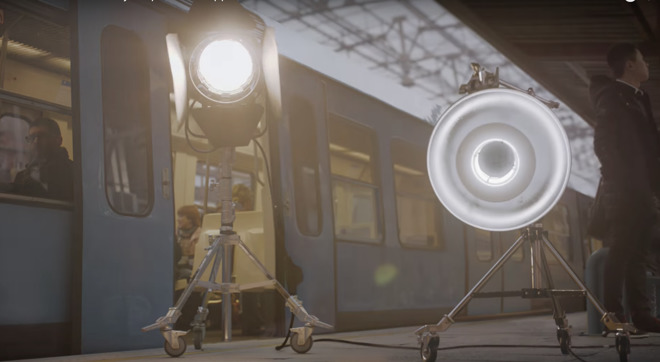
In the ad, a young woman is seen taking the iPhone X out of her pocket. Then, suddenly, lights, umbrellas and all of the other gear and accessories that would be present in a professional studio appear around her. 


The commercial ends with the slogan "Studio in Your Pocket," a trio of photos of the woman, and the on-screen phrase "Portrait Lighting on the iPhone X." 


The spot debuted on Apple's YouTube channel Monday. The song in the ad is "La Fete Noire" by Flavien Berger. 


Selling Point


Portrait Lighting debuted last year long with the iPhone X and iPhone 8 Plus, and it's meant to make photos taken on device resemble professional-looking photographs. 


Apple has heavily pushed Portrait Lighting in its advertising in recent months. It released two ads in January showcasing the feature, and a 90-second video in February about its development. And another ad, last month, featured Portrait Lighting as a reason to switch to iPhone from Android. 


Source: 9to5mac

Windows
Mac OS
iOS
Linux
3uTools
Win 64-bit For this device
V9.0 2025-11-11
Download
Win 32-bit For this device
V9.0 2025-11-11
Download
3uTools
Intel Chip How to Identify Chip Type
V9.0 2025-12-02
Download
Apple Chip
V9.0 2025-12-02
Download
How to Identify Chip Type
1.  Click the Apple icon in the top-left corner of the screen and select About This Mac.
2.  Check the Processor or Chip field to determine if it is "Intel" or "Apple".
Please use the 3uTools PC client to install the iOS client:
1、 Install either the Windows or Mac version of 3uTools on your computer
2、 Open the PC client and connect your device to the computer via USB cable
3、 After the connection is successful, wait for the computer to automatically install the mobile app for the device, or locate “Install Mobile App” on the computer and manually click to install.
3uTools
deb file
V3.01 2025-11-20
Download
rpm file
V3.01 2025-11-20
Download
Windows
Windows
iOS
iOS
Android
Android
TV
TV
3uAirPlayer
Win 64-bit For this device
V6.0.2 2025-11-19
Download
Win 32-bit For this device
V6.0.2 2025-11-19
Download
iOS Device Mirroring (No App Required)
1、 Install 3uAirPlayer on the Windows PC
2、 Open Control Center and select Screen Mirroring
3、 From the list, choose your PC to start mirroring
4、 Or connect your iOS device to the PC via USB to begin mirroring
Scan to get "3uAirPlayer" App
3uAirPlayer TV V1.0.18
2025-11-28
TV System Requirements: Android 7.0 or later
Download the TV installation package, copy it to a USB drive, insert it into your TV or set-top box, then select the file from the home screen to install.





