 NEWS
NEWS
Apple Says Inventory of All iPhone Replacement Batteries Now Available Without Delay
 05/10/2018
 2290
2290
iPhone users who have been waiting to take advantage of Apple's discounted battery replacement offer may be in luck.
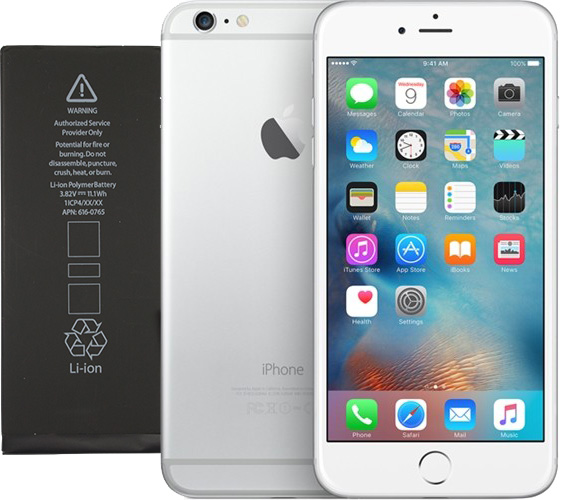
Apple has confirmed that "service inventory of all iPhone replacement batteries is now available without delay," in an internal memo distributed to Apple Stores and its network of Apple Authorized Service Providers on April 27. The document was obtained by MacRumors from a reliable source.
What this means is that Apple Stores and Apple Authorized Service Providers can now order iPhone replacement batteries from Apple and receive them without facing extended shipping delays, but that doesn't necessarily mean that every Apple Store or authorized repair shop will have supply available right away.
The information that Apple shared in this internal memo likely applies worldwide, but as with any supply-demand situation, availability of replacement batteries will likely vary by Apple Store and region. Apple's support website still notes that the replacement process may take up to five business days.
Apple previously said that replacement batteries for select iPhone models may be in short supply until late March or early April, and that certainly proved to be the case, as some but not all customers to date have been required to wait up to several weeks for their iPhones to be serviced and returned.
In fact, multiple sources have informed MacRumors that Apple hired third-party contractors, or reassigned existing AppleCare employees in some cases, to help clear the backlog of iPhone battery replacements at some of its stores.
Apple lowered its battery replacement fee to $29 in the United States in late December for the iPhone 6 and newer, as part of an apology over its lack of transparency about slowing down some older iPhone models to prevent unexpected shutdowns. The discount varies in other countries and is available until the end of 2018.
Apple has since released iOS 11.3 with a new feature that enables users to track their iPhone battery's health and performance status. The software update also automatically disables all performance management features that might have been enabled until another unexpected shutdown occurs.
To initiate a replacement, read our guide on how to get an iPhone's battery replaced at an Apple Store or Apple Authorized Service Provider. More details about what led to this point can be read in our FAQ.
Source: macrumors









