
NEWS

iPhone With Triple-Lens Rear Camera Will 'Likely' Launch Next Year Says Analyst

05/08/2018

2546

Apple is likely to launch at least one new iPhone model with a triple-lens rear camera in the second half of next year, according to the Taipei Times, citing a research note from Yuanta Securities analyst Jeff Pu. 
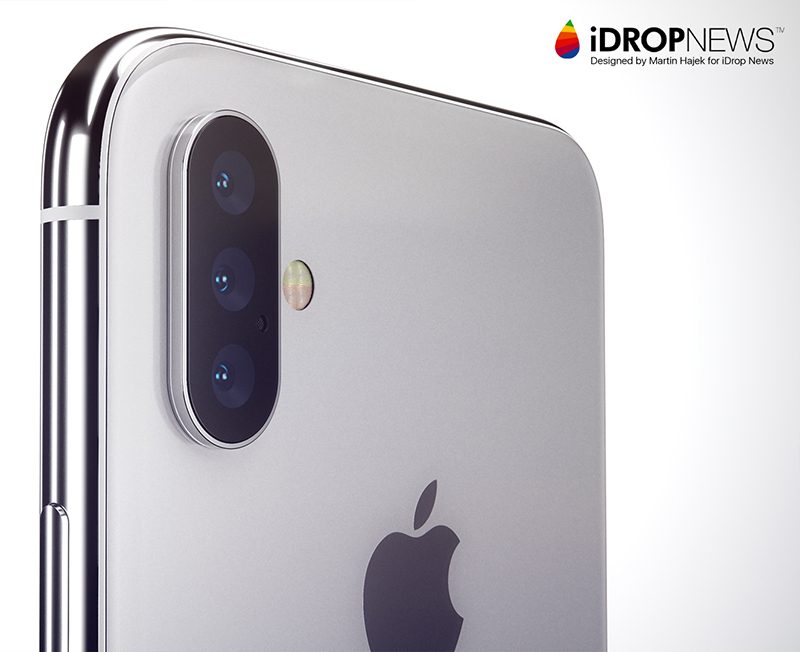
iPhone With Triple-Lens Rear Camera Will 'Likely' Launch Next Year Says Analyst


The report does not provide any additional details, but a Chinese report from the Economic Daily News last month suggested the camera system will have a 6P lens design with up to 5x zoom and at least one 12-megapixel lens. 

The addition of a third lens would likely enable 3x optical zoom on an iPhone for the first time, enabling users to magnify the image in the viewfinder by up to 3x without a blurry reduction in quality like digital zoom. iPhone 7 Plus, iPhone 8 Plus, and iPhone X models feature 2x optical zoom for comparison. 

A triple-lens rear camera would likely be a feature reserved for Apple's highest-end iPhones, so if accurate, this rumor probably applies to a third-generation iPhone X and/or iPhone X Plus launching around September 2019. 
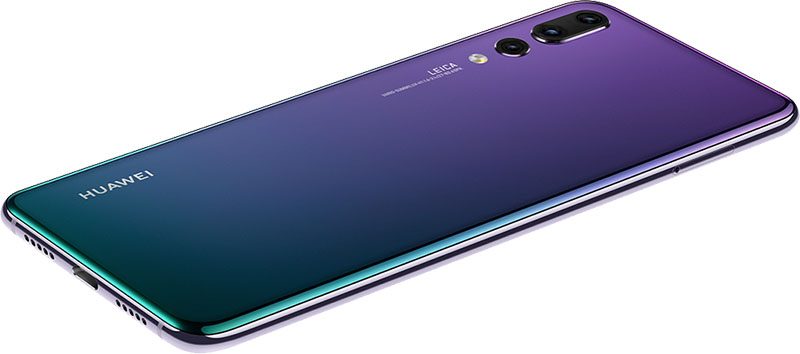

iPhone With Triple-Lens Rear Camera Will 'Likely' Launch Next Year Says Analyst


Huawei's new P20 Pro smartphone is the first with a triple-lens rear camera system, including a 40-megapixel lens, a 20-megapixel monochrome lens, and an 8-megapixel telephoto lens with 3x optical zoom. The Verge's Vlad Savov said he prefers the P20 Pro's camera over those on the iPhone X and Galaxy S9. 

For anyone hoping this might be a 2018 move instead, former KGI Securities analyst Ming-Chi Kuo has previously 
ruled out any significant changes occurring to the iPhone X's current dual-lens rear camera system this year.


Source: macrumors

Windows
Mac OS
iOS
Linux
3uTools
Win 64-bit For this device
V9.0 2025-11-11
Download
Win 32-bit For this device
V9.0 2025-11-11
Download
3uTools
Intel Chip How to Identify Chip Type
V9.0 2025-12-02
Download
Apple Silicon
V9.0 2025-12-02
Download
How to Identify Chip Type
1.  Click the Apple icon in the top-left corner of the screen and select About This Mac.
2.  Check the Processor or Chip field to determine if it is "Intel" or "Apple".
Please use the 3uTools PC client to install the iOS client:
1、 Install either the Windows or Mac version of 3uTools on your computer
2、 Open the PC client and connect your device to the computer via USB cable
3、 After the connection is successful, wait for the computer to automatically install the mobile app for the device, or locate “Install Mobile App” on the computer and manually click to install.
3uTools
deb file
V3.01 2025-11-20
Download
rpm file
V3.01 2025-11-20
Download
Windows
Windows
iOS
iOS
Android
Android
TV
TV
3uAirPlayer
Win 64-bit For this device
V6.0.2 2025-11-19
Download
Win 32-bit For this device
V6.0.2 2025-11-19
Download
iOS Device Mirroring (No App Required)
1、 Install 3uAirPlayer on the Windows PC
2、 Open Control Center and select Screen Mirroring
3、 From the list, choose your PC to start mirroring
4、 Or connect your iOS device to the PC via USB to begin mirroring
Scan to get "3uAirPlayer" App
3uAirPlayer TV V1.0.18
2025-11-28
TV System Requirements: Android 7.0 or later
Download the TV installation package, copy it to a USB drive, insert it into your TV or set-top box, then select the file from the home screen to install.




