NEWS

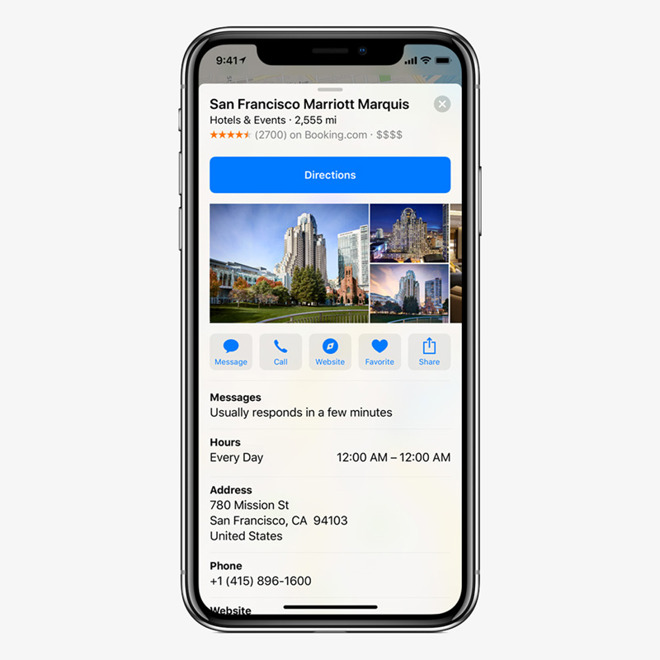
Every iOS App Update Must Support the iPhone X Notch and Use iOS 11 SDK by July

05/08/2018

2433

Every iOS App Update Must Support the iPhone X Notch and Use iOS 11 SDK by July


The company made the announcement through its official developer portal. Until now, a cutoff point for app updates had been expected, but not set in stone.

Newly submitted apps have had to use the latest iOS SDK and Super Retina support 
since April.

Apple regularly enforces SDK upgrades as a way of ensuring App Store titles remain compatible and secure. It has also become more aggressive about 
delisting broken and outdated apps, though the company usually offers developers a chance to fix the situation before scrubbing happens.

Super Retina support is liable to become extremely important this fall, since Apple is expected to ship not one but 
three new iPhones —5.8- and 6.5-inch OLED models, and a cheaper 6.1-inch LCD device. Since all of these will be bigger than the 5.5-inch iPhone 8 Plus, higher resolutions will be mandatory to maintain pixel density.


Source: appleinsider

Windows
Mac OS
iOS
Linux
3uTools
Win 64-bit For this device
V9.0 2025-11-11
Download
Win 32-bit For this device
V9.0 2025-11-11
Download
3uTools
Intel Chip How to Identify Chip Type
V9.0 2025-12-02
Download
Apple Silicon
V9.0 2025-12-02
Download
How to Identify Chip Type
1.  Click the Apple icon in the top-left corner of the screen and select About This Mac.
2.  Check the Processor or Chip field to determine if it is "Intel" or "Apple".
Please use the 3uTools PC client to install the iOS client:
1、 Install either the Windows or Mac version of 3uTools on your computer
2、 Open the PC client and connect your device to the computer via USB cable
3、 After the connection is successful, wait for the computer to automatically install the mobile app for the device, or locate “Install Mobile App” on the computer and manually click to install.
3uTools
deb file
V3.01 2025-11-20
Download
rpm file
V3.01 2025-11-20
Download
Windows
Windows
iOS
iOS
Android
Android
TV
TV
3uAirPlayer
Win 64-bit For this device
V6.0.2 2025-11-19
Download
Win 32-bit For this device
V6.0.2 2025-11-19
Download
iOS Device Mirroring (No App Required)
1、 Install 3uAirPlayer on the Windows PC
2、 Open Control Center and select Screen Mirroring
3、 From the list, choose your PC to start mirroring
4、 Or connect your iOS device to the PC via USB to begin mirroring
Scan to get "3uAirPlayer" App
3uAirPlayer TV V1.0.18
2025-11-28
TV System Requirements: Android 7.0 or later
Download the TV installation package, copy it to a USB drive, insert it into your TV or set-top box, then select the file from the home screen to install.