
NEWS

Apple Shutting Down Acquired Texture Magazine App Next Month

05/07/2018

3136

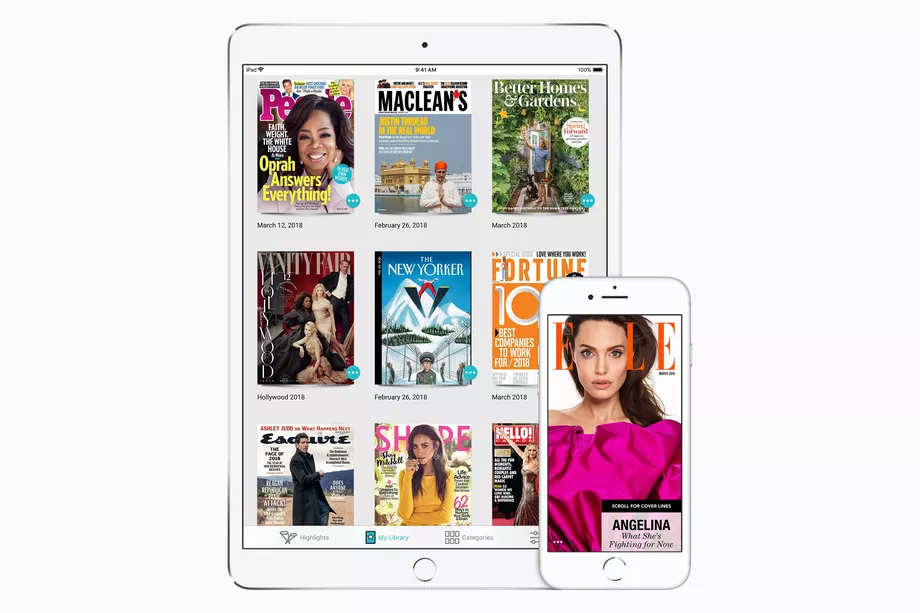
Texture, the magazine subscription service that Apple purchased back in March, plans to shut down its Windows app at the end of June. Users were informed of the discontinuation this week through emails and a note inside the app, which said that after June 30th, “this app will stop working and will no longer be available in the Microsoft Store.” Texture’s Android, Amazon Fire, and iOS apps will still be supported.


While this might sound like a case of Apple immediately cutting off users outside of its ecosystem, the discontinuation of Texture’s Windows app may have been a long time coming. The app seemingly hasn’t been updated in some time, and on the Windows Store, it’s inundated with bad reviews dating back years about how poorly the app works. Multiple reviews mention being unable to download magazines, which is kind of the entire point of the app.

 Apple Shutting Down Acquired Texture Magazine App Next Month

In a note on its website, Texture wrote that it needed to shut down the Windows app to “keep things working smoothly.” Apple declined further comment.


Texture isn’t available on the web, so subscribers on Windows will have to pick up another device to continue using the service. Given Apple’s increasing interest in media, it would make sense for the company to eventually provide a cross-platform way to access all of the content it distributes. But for now, there’s no word of a new service that’ll work on Windows.


Source: theverge

Windows
Mac OS
iOS
Linux
3uTools
Win 64-bit For this device
V9.0 2025-11-11
Download
Win 32-bit For this device
V9.0 2025-11-11
Download
3uTools
Intel Chip How to Identify Chip Type
V9.0 2025-12-02
Download
Apple Chip
V9.0 2025-12-02
Download
How to Identify Chip Type
1.  Click the Apple icon in the top-left corner of the screen and select About This Mac.
2.  Check the Processor or Chip field to determine if it is "Intel" or "Apple".
Please use the 3uTools PC client to install the iOS client:
1、 Install either the Windows or Mac version of 3uTools on your computer
2、 Open the PC client and connect your device to the computer via USB cable
3、 After the connection is successful, wait for the computer to automatically install the mobile app for the device, or locate “Install Mobile App” on the computer and manually click to install.
3uTools
deb file
V3.01 2025-11-20
Download
rpm file
V3.01 2025-11-20
Download
Windows
Windows
iOS
iOS
Android
Android
TV
TV
3uAirPlayer
Win 64-bit For this device
V6.0.2 2025-11-19
Download
Win 32-bit For this device
V6.0.2 2025-11-19
Download
iOS Device Mirroring (No App Required)
1、 Install 3uAirPlayer on the Windows PC
2、 Open Control Center and select Screen Mirroring
3、 From the list, choose your PC to start mirroring
4、 Or connect your iOS device to the PC via USB to begin mirroring
Scan to get "3uAirPlayer" App
3uAirPlayer TV V1.0.18
2025-11-28
TV System Requirements: Android 7.0 or later
Download the TV installation package, copy it to a USB drive, insert it into your TV or set-top box, then select the file from the home screen to install.





