 NEWS
NEWS
Photos Claim to Show iPhone SE 2 with Glass Back for Wireless Charging, Headphone Jack Remains
 04/27/2018
 2469
2469
The iPhone SE 2 rumor train has been a wild one. There are many conflicting reports about the device, ranging from rumors of a major chassis change to only a minor hardware revision.
These new photos purport to show a fully built iPhone SE 2, with resemblances to some leaked shells first seen in March. They depict a device somewhere in between the two extremes of the rumored specs; a new glass back for wireless charging but a 3.5mm hole for a headphone jack remains.
As ever, these images come from Chinese social media so their provenance is sketchy. However, we have seen strong indicators that an iPhone SE 2 hardware update is indeed imminent.
As a reminder, the current iPhone SE has an aluminum back design with small glass panels at the top and bottom only.
These photos show a full glass back device, which would presumably enable wireless charging. The rear markings reflect the latest generation of US iPhones, which only feature the word ‘iPhone’ and lack regulatory FCC logos.
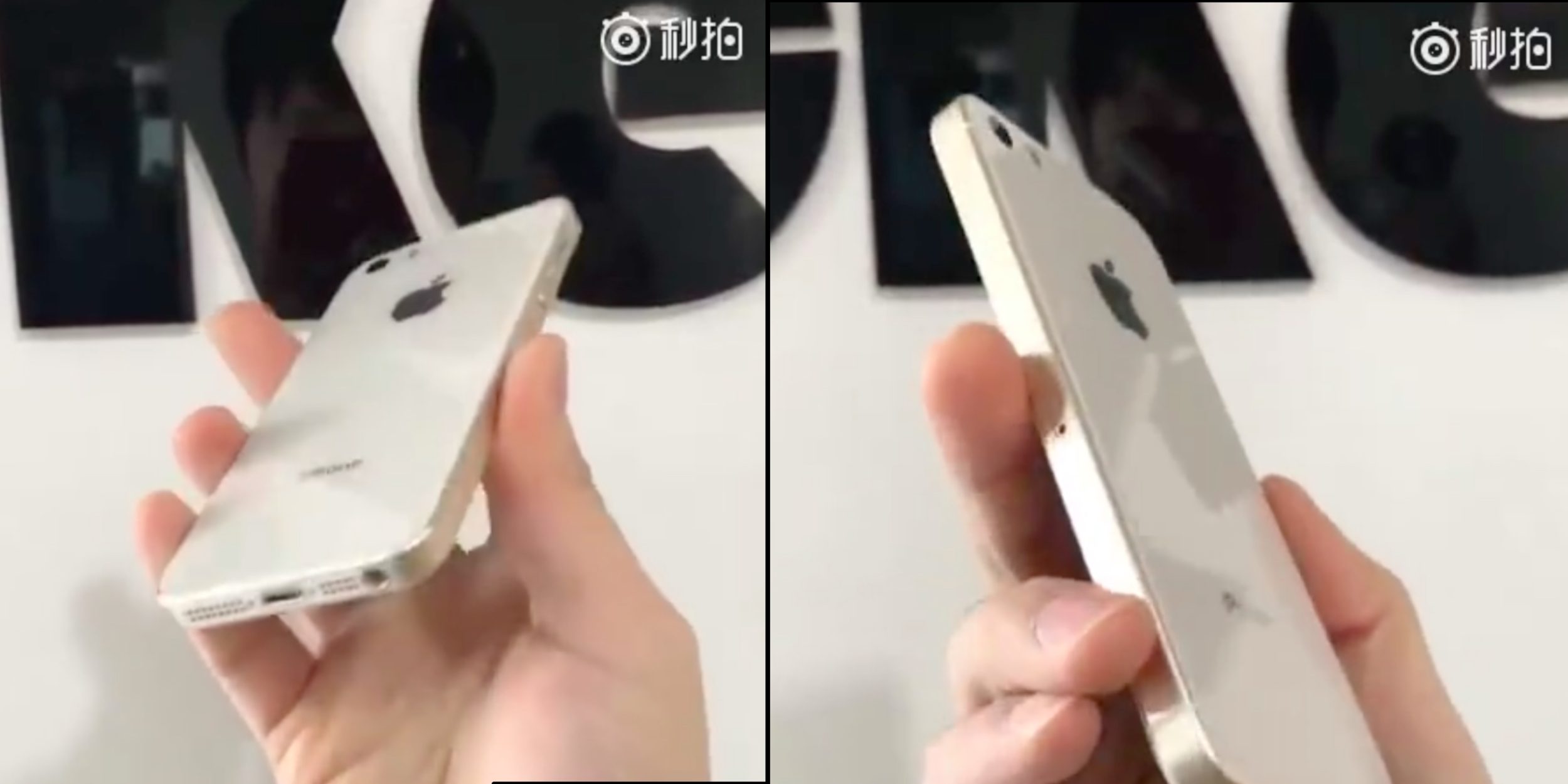
Disagreeing with a report from last week, the pictured chassis clearly retains a 3.5mm headphone jack. Apple dropped the port in late 2016 with the iPhone 7 and iPhone 7 Plus, but the rumor mill has not come to a consensus agreement on whether the upgraded SE will keep it or lose it.
While the pictures indicate that the iPhone SE 2 will include some design tweaks on the rear side, the front of the phone looks almost identical to the current iPhone SE. Same Touch ID sensor, same display, same front camera layout and same bezels.
In regard to internals, various reports point to an upgraded processor (probably moving from an A9 to a A10 chip) and other component tweaks.
We are expecting some kind of new iPhone announcement sometime in May, perhaps at WWDC in June, probably with a new website press-release and online store update. Apple’s flagship 2018 iPhones — such as the iPhone X Plus — are scheduled for a fall debut.
Source: 9to5mac









