 NEWS
NEWS
Apple Delays AirPower to make way for AirPods 2
 04/26/2018
 3030
3030
Alongside the iPhone 8 and iPhone X, Apple unveiled a new wireless charging pad for it’s devices back at a September event. At the time, Apple had said AirPower wasn’t ready, but would be coming soon. Now, almost eight months later, AirPower remains unavailable, and no further information has been released.
AirPower is unique as it allows users to charge their Apple Watch Series 3, iPhone 8 or X, and AirPods all at the same time by placing them on a single surface. The product is largely made possible by the Qi wireless charging standard which was introduced in the iPhone 8 and X.
Apple has since opted to delay the product until this fall, according to sources familiar with the matter, after facing difficulty producing the product and concerns over AirPods support.
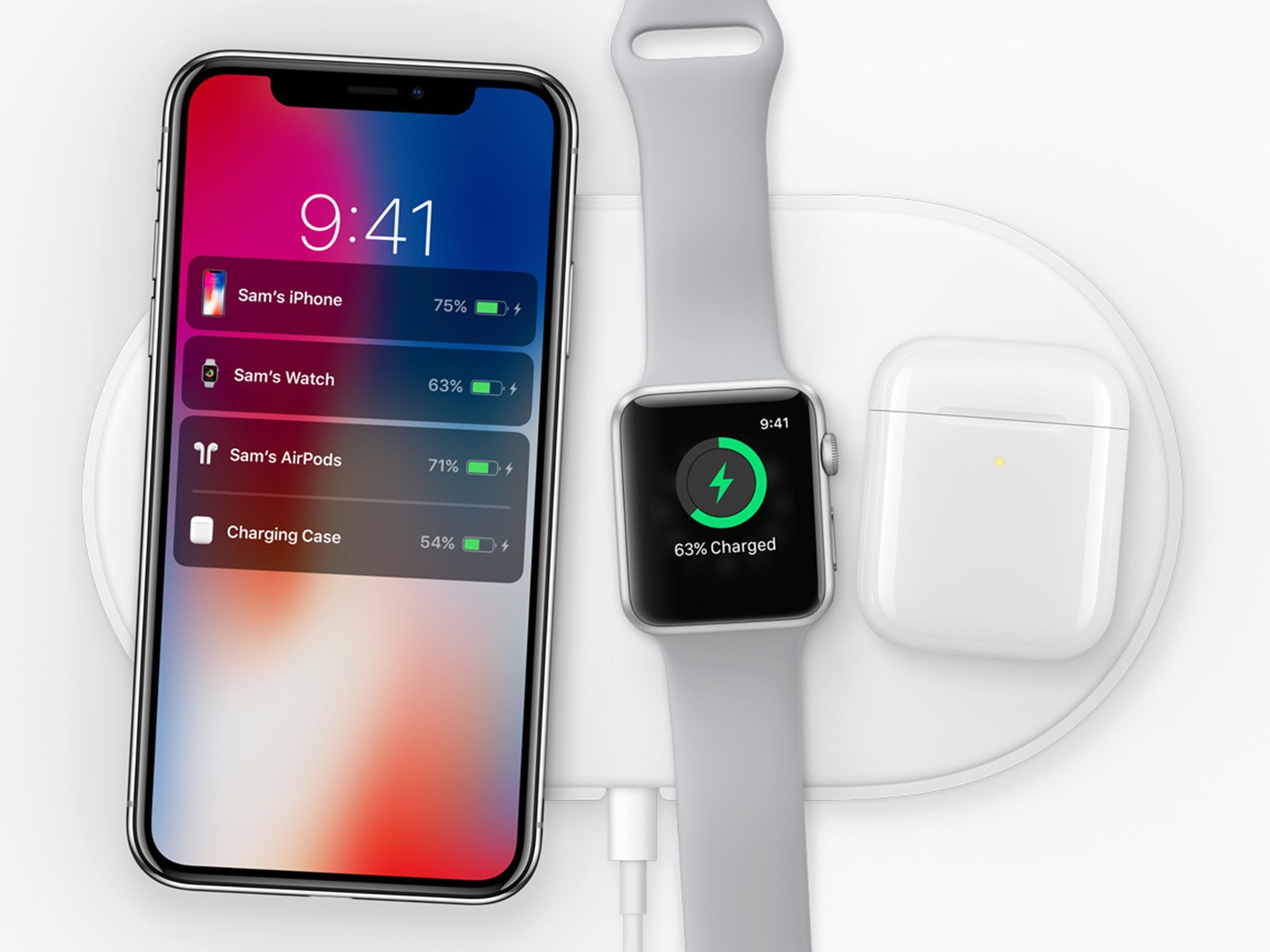
According to sources, Apple’s largest issues in manufacturing AirPower revolved around the Apple Watch. While all models of Apple Watch have included Qi charging, Apple made unknown changes on Series 3 that made it incompatible with most non-Apple chargers.
It appears the concave back of the Apple Watch may be responsible for this change; as most Qi charger are flat, Apple can block most third-party chargers by creating this unique design. When implementing it into AirPower, which is flat, Apple faced difficulties.
While our guess to these difficulties is conjecture, sources say Apple has since figured out how to implement Apple Watch charging into AirPower.
Airpods
When Apple originally thought it would be able to release AirPower before the end of 2017, the company had planned on selling a new, separate AirPods charging case that supported the AirPower charger for $69.
The decision to charge for an additional charging case caused scrutiny internally inside Apple. Many felt AirPower would mostly appeal to users who owned more than once Apple device, and with AirPower likely starting at $99, few thought AirPods users would be likely to cough-up an additional $69 for the ability to use the device they had just paid for.
Because of these concerns and delays, we now believe Apple has decided to hold AirPower until the release of AirPods 2, which are currently slated for announcement this fall according to sources, though the date could change.
In addition to an updated charging case that supports AirPower, AirPods 2 will also feature enhanced microphones, improved Siri integration, and a new waterproof design.
The delay will also allow for Apple to improve the design of Apple Watch in relation to AirPower. When Apple first began work on Series 3, the company had not yet begun development on the charging mat.
These new devices, alongside a new line of iPhones, and an Apple-designed pair of over-ear premium headphones are planned to be unveiled at an event this fall.









