
NEWS

Apple Seemingly Halts Product Financing for UK Customers

04/25/2018

2333

Apple has apparently discontinued product financing in the UK, as the company on Tuesday removed an informational webpage detailing those options and scrubbed its regional online store of references to installment plans.


Cached version of Apple's UK financing webpage.
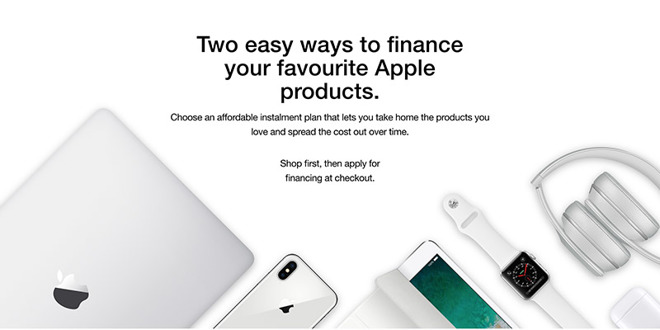

Apple Seemingly Halts Product Financing for UK Customers


While not confirmed, modifications to Apple's UK site strongly suggest the firm is no longer offering consumer financing through its online and physical retail channels. 


As noted by MacRumors, which spotted the change, Apple's dedicated UK financing page is no longer active. Links to the now vacant web asset redirect to Apple's homepage. 


In addition, financing options are no longer displayed when placing online orders. Prior to the change, an "Instalments" button appeared at checkout which, when clicked, allowed customers to select an installment plan offered by PayPal Credit or Barclays. 


It appears the policy update applies only to consumers, as educational purchases can offer consumer loans through that company's Marcus product. A relatively new lending service, Marcus integrates with existing checkout systems to present customers loans carrying an interest rate of about 12 percent.


Source: appleinsider

Windows
Mac OS
iOS
Linux
3uTools
Win 64-bit For this device
V9.0 2025-11-11
Download
Win 32-bit For this device
V9.0 2025-11-11
Download
3uTools
Intel Chip How to Identify Chip Type
V9.0 2025-12-02
Download
Apple Chip
V9.0 2025-12-02
Download
How to Identify Chip Type
1.  Click the Apple icon in the top-left corner of the screen and select About This Mac.
2.  Check the Processor or Chip field to determine if it is "Intel" or "Apple".
Please use the 3uTools PC client to install the iOS client:
1、 Install either the Windows or Mac version of 3uTools on your computer
2、 Open the PC client and connect your device to the computer via USB cable
3、 After the connection is successful, wait for the computer to automatically install the mobile app for the device, or locate “Install Mobile App” on the computer and manually click to install.
3uTools
deb file
V3.01 2025-11-20
Download
rpm file
V3.01 2025-11-20
Download
Windows
Windows
iOS
iOS
Android
Android
TV
TV
3uAirPlayer
Win 64-bit For this device
V6.0.2 2025-11-19
Download
Win 32-bit For this device
V6.0.2 2025-11-19
Download
iOS Device Mirroring (No App Required)
1、 Install 3uAirPlayer on the Windows PC
2、 Open Control Center and select Screen Mirroring
3、 From the list, choose your PC to start mirroring
4、 Or connect your iOS device to the PC via USB to begin mirroring
Scan to get "3uAirPlayer" App
3uAirPlayer TV V1.0.18
2025-11-28
TV System Requirements: Android 7.0 or later
Download the TV installation package, copy it to a USB drive, insert it into your TV or set-top box, then select the file from the home screen to install.





