 NEWS
NEWS
Apple Sends Emails to WWDC 2018 Scholarship Winners
 04/23/2018
 2380
2380
After three weeks of deliberations, Apple on Friday sent out notifications of acceptance to students and STEM organization members who applied for a scholarship to this year's Worldwide Developers Conference.
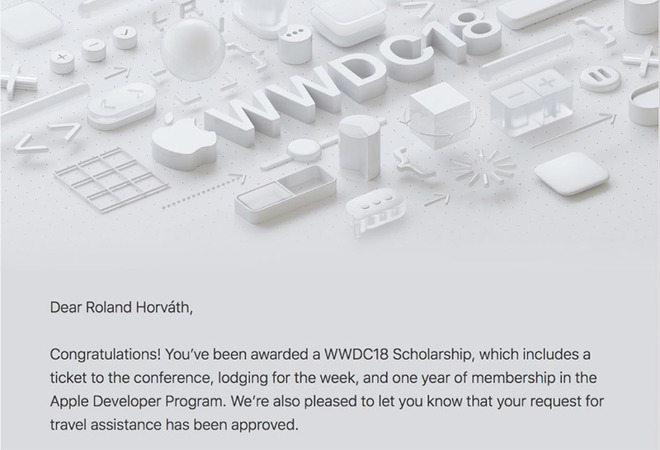
A number of scholarship award winners took to social media to share the news. As seen in the screenshot above, taken from a tweet by 17-year-old Hungarian developer Roland Horváth, some of those chosen to attend the June conference are posting Apple's acceptance letter in its entirety.
The email runs over the usual specifics, noting each scholarship includes a ticket to the conference, lodging for one week and a one year membership in the Apple Developer Program. In some cases, including Horváth's, requests for travel assistance to the event in San Jose, Calif., have been approved.
Apple traditionally grants a small number of scholarships to promising developers from around the world. Previous years have seen the company invite 200 students to the conference, but that number jumped to 350 in 2015 as the event grew in size and scope.
Like last year's scholarship round, applicants were asked to submit a Swift playground with accompanying documentation discussing the various Apple technologies used to accomplish the work. The final product was judged on technical accomplishment and creativity of ideas.
For up and coming developers, the scholarship program provides an unprecedented opportunity to learn about the latest Apple technology without being encumbered by the usual financial overhead associated with attending the conference. For 2018, Apple provided a total of 5,000 WWDC tickets priced at $1,599, each meted out in March through a lottery system.
Apple is also sending out correspondence to those who failed to make the cut, saying the extraordinary number of playground submissions made this year's selection process particularly difficult. The company notes those who are unable to attend WWDC in person can take advantage of daily live streaming sessions and sample code via the WWDC app. The app, which normally provides a session schedule, video section, news and more, has not yet been updated for 2018.
Apple is expected to unveil successors to its major software platforms at this year's conference, including iOS 12, macOS 10.14, watchOS 5 and tvOS 12.
WWDC 2018 kicks off on June 4 with a keynote at the McEnery Convention Center in San Jose. Apple will host over 100 technical and design-focused sessions presented by Apple engineers at the event, which runs through June 8.
Source: appleinsider









