 NEWS
NEWS
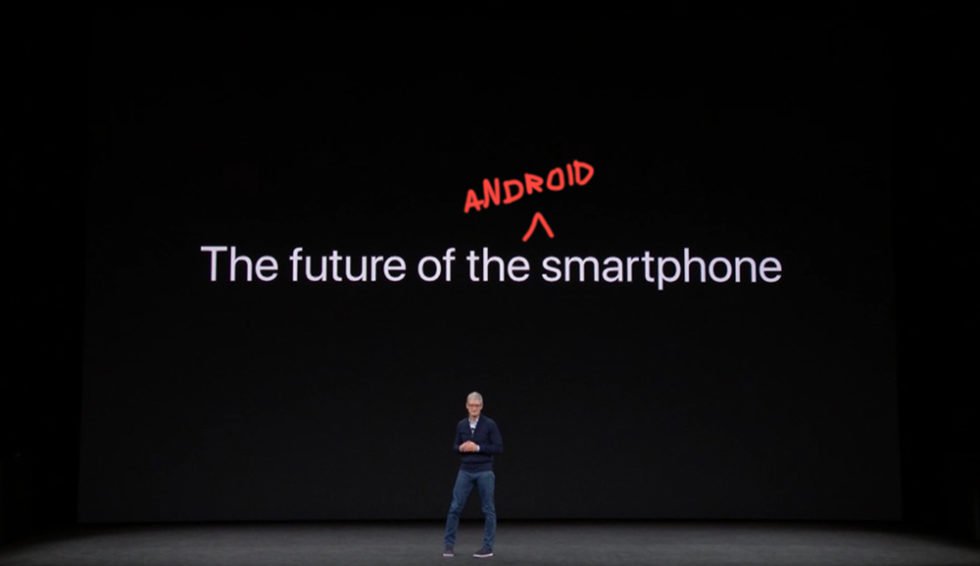
Android Manufacturers Agree With Apple, the iPhone X is the Future
 04/18/2018
 3006
3006
Covering Android since 2009 has allowed me to see all of the highs and lows of this platform. We were there during the early battles with Apple fans, the ones who considered Android nothing but a cheap knock-off of the product they had begun to cultishly, blindly follow. We were there as Android manufacturers were all cashing in on the Android boom as its adoption spread globally to help it quickly become number 1. We saw innovation at a breakneck pace that left us giggling at Apple seemingly left behind in tech trends and feature parity. Of course, those were highs.
For lows, we have had Android tablet flopfests, regularly scheduled security vulnerability scare reports, and never-ending frustrations over timely software updates. It’s also impossibly hard not to look at the current smartphone landscape and realize that few of the original power players are having any success in Android. Samsung and Huawei are, OnePlus might be on a smaller level, and almost everyone else is either losing money, laying off folks, being acquired, or refusing to tell us how many phones they’ve actually sold.
Those constant struggles by so many have led us to the next notch in Android history that could be a high or low depending on how you take it. It will surely annoy fans, but that’s mostly from a pride standpoint than anything. I’m talking about the fact that Android manufacturers have admitted that Apple was right: the iPhone X is the future of smartphones.
Now look, we’ve talked plenty about the iPhone X’s display notch and that Android manufacturers are lining up to copy the look. We know that Google has baked notch support in Android P already. We know that the LG G7, OnePlus 6, ASUS ZenSomething phone, and recent Huawei releases all have notches. Motorola is likely working on phones with notches. No one should be surprised if Google is too. And Samsung. It’s the trend of the moment. Outside of Essential’s take on it, it’s pretty obvious that the industry thinks Apple’s version is what people want.
We’re not just talking about the notch, though.
If you look at the iPhone X’s overall design, with glass back, vertically placed camera housing, and notch, we’re seeing companies unapologetically mimic Apple. Huawei’s P20 and P20 Pro, as well as ASUS’ ZenFruit Phone, are the perfect examples, but you’d struggle to argue with me that the OnePlus 6 and LG G7 backs we’ve seen don’t give you an Apple vibe too. Unfortunately, as OnePlus confessed, companies can copy most of what Apple did with the iPhone X, but won’t take it all the way because of cost and engineering difficulties involving the bottom chin area.
Take into account that Samsung even took on Apple’s Animoji, which were first introduced alongside the iPhone X. Samsung’s version sucks, but the power of Apple is so evident there. Companies are also talking more and more about facial recognition, thanks to the iPhone X, even though no one will (again) go as far as Apple did with the variety of sensors and the (likely) cost involved.

And in the most recent addition to the iPhone X copycatting, we’re seeing the evolution of Android navigation is turning to gestures. OnePlus was one of the first out of the gate with their own implementation of this (Motorola is doing it too), but Android P is going to get it natively. That means the future of Android from Android P and beyond will involve the slow removal of traditional Home, Back, and App Switcher buttons in favor of an experience similar to that of the iPhone X.
The gestures in Android P, according to 9to5Google, will involve a pill-shaped home button that can still be tapped to head home. The gesture part will arrive through a swipe up on that button to bring up the app switcher experience, which Google has apparently changed to look very similarly to Apple’s horizontal, full-page card layout. We’ll still have a back button, thankfully, though it won’t be present at all times.
I’m sure I could keep going, but what I’m getting at here is that Apple wins this round. They do. We’ve had plenty of time to mock them over the years as they’ve picked Android feature after feature to sell as their own, but with the iPhone X, they showed the world that Apple is still fully capable and that everyone should keep paying attention. While it frustrates me to see all of these Android manufacturers just fall in line behind them, I also understand why they might want to. Companies aren’t selling phones like they once were. They tried to differentiate with modular devices and poured baskets of cash into awful software experiences and their own unique gimmicks. Most of that failed. It cost some of them dearly. Maybe they should copy the guy who can’t help but stack the bank with billions.
And even as the jury may still be out on whether or not the iPhone X has been a smashing success, it’s already proven to be a winner in the competitive landscape. I’d imagine Apple knows this. In fact, I’d be shocked if they don’t make a special shoutout at their next big phone event to all of their industry colleagues on one of those obnoxious slides where they used to poke fun at Android adoption rates.
Hey, good job, Apple.
Source: droidlife









