
NEWS

Apple Releases iOS 11.3 Update Only for New iPad

03/29/2018

3335

Apple released the long-awaited iOS 11.3 update, but it appears the software is only available for download on the sixth-generation iPad, which was announced yesterday at an education event in Chicago. 

The sixth-generation iPad went on sale yesterday, but the first orders won't be delivered until later this week and the device is not yet in stores. 
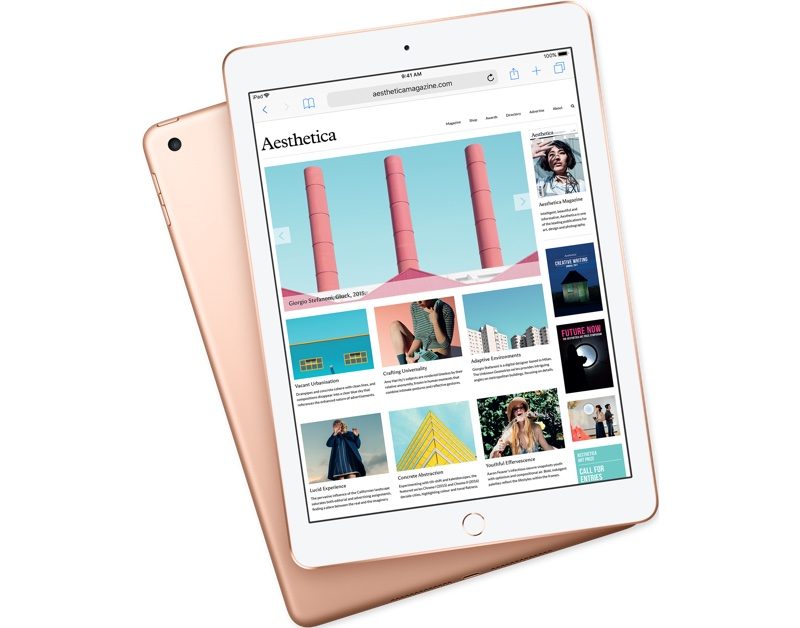
Apple Releases iOS 11.3 Update Only for New iPad
Customers with the new iPad can download iOS 11.3 over-the-air using the Settings app. To access the update, go to Settings --> General --> Software Update

iOS 11.3 introduces a long list of new features, such as Messages on iCloud for storing your iMessages in iCloud to save valuable on-device storage space. 

The update also introduces ARKit 1.5, a new version of ARKit that allows developers to do more with augmented reality apps, and it includes a "Battery Health" feature designed to provide iOS users with more information about their batteries. 

Other new features include new review sorting options in the App Store, software authentication for HomeKit devices, Business Chat for contacting businesses using iMessage, and more. 

It's not clear why Apple has released iOS 11.3 for the new iPad and not for any other devices, but the surprise launch suggests the release of iOS 11.3 for other Apple products is imminent and could perhaps come later this week.


Source: macrumors

Windows
Mac OS
iOS
Linux
3uTools
Win 64-bit For this device
V9.01 2025-12-27
Download
Win 32-bit For this device
V9.01 2025-12-27
Download
3uTools
Intel Chip How to Identify Chip Type
V9.0 2025-12-02
Download
Apple Silicon
V9.0 2025-12-02
Download
How to Identify Chip Type
1.  Click the Apple icon in the top-left corner of the screen and select About This Mac.
2.  Check the Processor or Chip field to determine if it is "Intel" or "Apple".
Please use the 3uTools PC client to install the iOS client:
1、 Install either the Windows or Mac version of 3uTools on your computer
2、 Open the PC client and connect your device to the computer via USB cable
3、 After the connection is successful, wait for the computer to automatically install the mobile app for the device, or locate “Install Mobile App” on the computer and manually click to install.
3uTools
deb file
V3.01 2025-11-20
Download
rpm file
V3.01 2025-11-20
Download
Windows
Windows
iOS
iOS
Android
Android
TV
TV
3uAirPlayer
Win 64-bit For this device
V6.0.2 2025-11-19
Download
Win 32-bit For this device
V6.0.2 2025-11-19
Download
iOS Device Mirroring (No App Required)
1、 Install 3uAirPlayer on the Windows PC
2、 Open Control Center and select Screen Mirroring
3、 From the list, choose your PC to start mirroring
4、 Or connect your iOS device to the PC via USB to begin mirroring
Scan to get "3uAirPlayer" App
3uAirPlayer TV V1.0.18
2025-11-28
TV System Requirements: Android 7.0 or later
Download the TV installation package, copy it to a USB drive, insert it into your TV or set-top box, then select the file from the home screen to install.




