 NEWS
NEWS
Apple's Joswiak Says iOS Gaming Catching Up to Modern Consoles
 03/22/2018
 3504
3504
Gaming on iPhone and iPad is reaching a threshold where it's on par with consoles, which have typically outpaced mobile devices, Apple's VP of product marketing claimed in a recent interview.
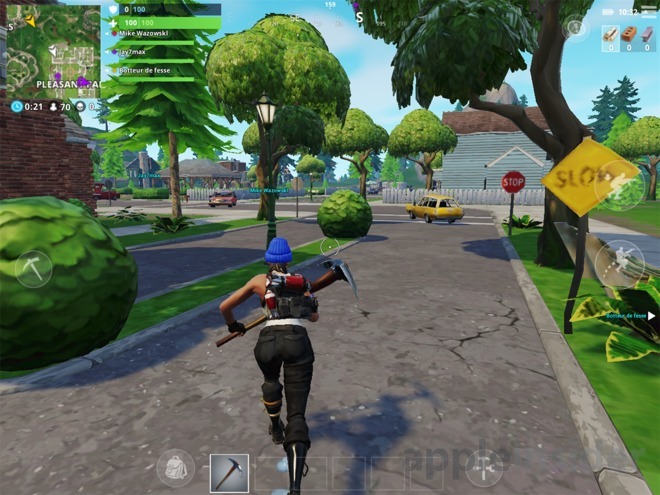
"They're bringing the current generation of console games to iOS," Greg Joswiak said in a TechCrunch interview. The executive was specifically referring to "Fortnite" and "PlayerUnknown's Battlegrounds,", which not only have console-like gameplay but in the former's case allows cross-platform play with console and PC gamers.
Most phone and tablet games are still "casual" titles, limited not just by processing power but by storage space and their interfaces. Even when a game is available for both mobile and the living room, developers will often scale back the mobile version, and/or prevent cross-platform play because of the inherent advantage in having a gamepad or mouse/keyboard combo.
The rapid iteration of iPhone and iPad hardware has helped, Joswiak said.
"Every year we are able to amp up the tech that we bring to developers," he noted. "Before the industry knew it, we were blowing people away. The full gameplay of these titles has woken a lot of people up."
Consoles typically iterate every four years or longer, which means that devices like PCs and the iPhone can catch up to and surpass console hardware, which boosts the baseline for gameplay experiences.
Joswiak noted that iOS is a prime target for game developers over Android because of its consistent platform.
"We bring a very homogenous customer base to developers where 90 percent of [devices] are on the current versions of iOS," he said. This means that developers can exploit Apple technology to its utmost and expect gamers to keep up, whereas Android is more fragmented in terms of software and hardware.
Source: appleinsider









