 NEWS
NEWS
DetailedPowerUsage is Released for Jailbreakers to Gain More Features on Battery Usage
 03/21/2018
 3203
3203
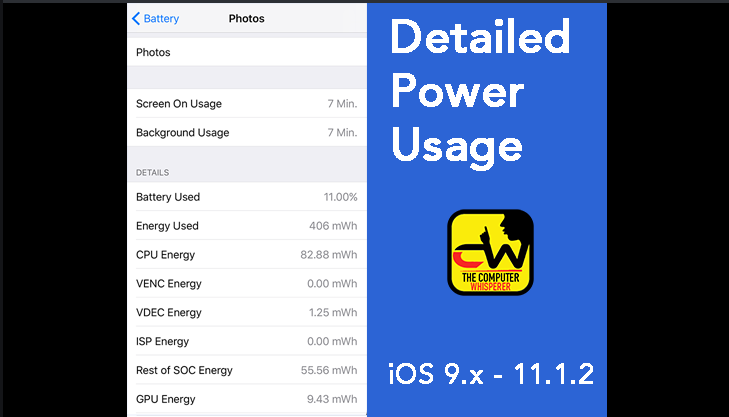
DetailedPowerUsage(Beta)updated and enhanced replacement for DetailedBatteryUsage fully working with iOS 11. Compatible with iOS 9.x to 11.1.2.
This tweak could help user unlock Apple's hidden internal battery usage interface and gain access to unabridged administrator data and statistics. More than just a simple replacement for DetailedBatteryUsage for iOS 11, DetailedPowerUsage also adds some useful new features, such as battery performance & health status, live power usage, as well as details about connected power adapters/USB devices. Discover battery usage info that Apple wants to keep secret!
Notes:
Tap on the Temperature to switch between °F / °C
Touch and hold on details to copy them to clipboard
View extended app power usage reports by pressing down and then sliding left on it’s table cell (similar to the “swipe to delete” motion - watch this 1 minute YouTube video for a demo)
Live data updated every 20 seconds (this is because I use the existing power logs which iOS generates by default every 20 seconds…preventing DetailedPowerUsage from being a battery drain itself)
No respring is required after installing DetailedPowerUsage, however you need to restart the Settings app to finalize installation. This tweak is enabled by default, and can be switched off from the Settings App battery section: Settings-Battery.
DetailedPowerUsage v1.0.0b is currently available on this repo. This is beta software, and as such there may be bugs or other unforeseen issues. If you'd prefer not to experience any possible issues and/or if you’re unwilling or unable to report bugs that you find, then PLEASE wait for the eventual release of DetailedPowerUsage on BigBoss.









