
NEWS

Apple is Tightening the Rules on 'What's New' Changelogs in App Store

03/21/2018

2641

Apple this week informed members of its Developer Program that it will be enforcing stricter rules for "What's New in This Version," the section on the App Store in which developers can list changes they made to their apps. 
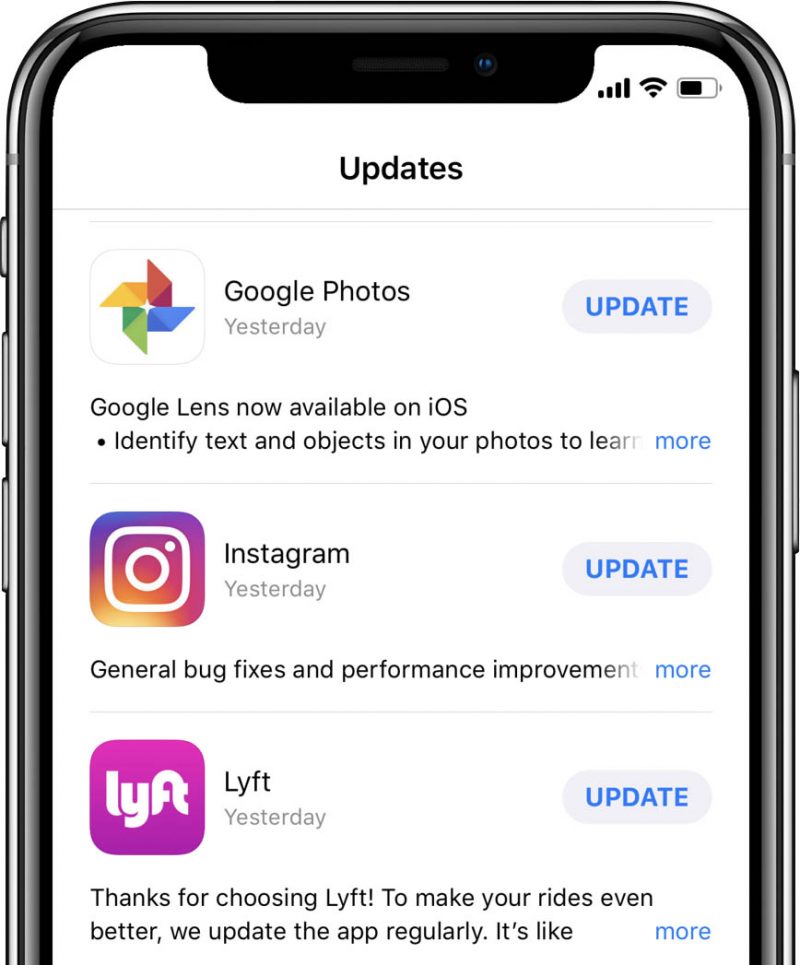

Apple is Tightening the Rules on 'What's New' Changelogs in App Store
Starting in April, developers will only be able to edit the "What's New" text when submitting a new version of their app. In other words, any changes to the text will now be subject to Apple's standard App Store review process. 

The requirement will extend to editing an app's support URL or marketing URL, according to Apple's announcement posted in 
iTunes Connect

While this is a minor change, Apple evidently felt the need to have a little more control over information passing through the App Store without its approval. It's possible that a few developers were taking advantage of the flexibility for bad reasons, such as pointing support or marketing URLs to malicious websites. 


Source: macrumors

Windows
Mac OS
iOS
Linux
3uTools
Win 64-bit For this device
V9.0 2025-11-11
Download
Win 32-bit For this device
V9.0 2025-11-11
Download
3uTools
Intel Chip How to Identify Chip Type
V9.0 2025-12-02
Download
Apple Silicon
V9.0 2025-12-02
Download
How to Identify Chip Type
1.  Click the Apple icon in the top-left corner of the screen and select About This Mac.
2.  Check the Processor or Chip field to determine if it is "Intel" or "Apple".
Please use the 3uTools PC client to install the iOS client:
1、 Install either the Windows or Mac version of 3uTools on your computer
2、 Open the PC client and connect your device to the computer via USB cable
3、 After the connection is successful, wait for the computer to automatically install the mobile app for the device, or locate “Install Mobile App” on the computer and manually click to install.
3uTools
deb file
V3.01 2025-11-20
Download
rpm file
V3.01 2025-11-20
Download
Windows
Windows
iOS
iOS
Android
Android
TV
TV
3uAirPlayer
Win 64-bit For this device
V6.0.2 2025-11-19
Download
Win 32-bit For this device
V6.0.2 2025-11-19
Download
iOS Device Mirroring (No App Required)
1、 Install 3uAirPlayer on the Windows PC
2、 Open Control Center and select Screen Mirroring
3、 From the list, choose your PC to start mirroring
4、 Or connect your iOS device to the PC via USB to begin mirroring
Scan to get "3uAirPlayer" App
3uAirPlayer TV V1.0.18
2025-11-28
TV System Requirements: Android 7.0 or later
Download the TV installation package, copy it to a USB drive, insert it into your TV or set-top box, then select the file from the home screen to install.




