
NEWS

Apple releases updated brand assets for Apple Music and iTunes

03/14/2018

2631

Apple has today shared refreshed assets to help affiliates promote and share music, movies, and TV content that can be found on Apple Music and the iTunes Store.


Apple shared the news in an email sent to members of the affiliate program. The new assets feature a cleaner design in line with Apple’s recent MFi branding update that we discovered over the weekend.


Notably, the iTunes Store logo now features the star logo, like the iOS app, as opposed to the previous use of the Apple logo.


In addition to the new badge, there’s a new text lockup for greater versatility in your marketing efforts. Also, the iTunes star icon can be used on social media sites and in apps where the badge or text lock up does not fit, giving you more flexibility than before.
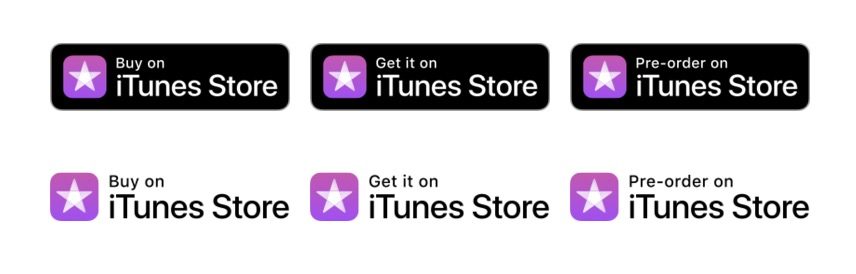

Apple releases updated brand assets for Apple Music and iTunes


The email also reiterates that commissions for both iTunes and Apple Music will be changing soon.


As a reminder, iTunes Music commission rates will be lowered to 2.5% and Apple Music commission rates will increase effective April 5th, 2018. For Apple Music you will receive a one time 100% commission on the first paid month of a user’s subscription; this is twice the existing rate which pays 50%. So there’s never been a better time to promote Apple Music!


More details and support can be found on Apple’s Affiliate Resources page. Complete guidelines on using these official assets can be found here.


Source: 9to5mac

Windows
Mac OS
iOS
Linux
3uTools
Win 64-bit For this device
V9.0 2025-11-11
Download
Win 32-bit For this device
V9.0 2025-11-11
Download
3uTools
Intel Chip How to Identify Chip Type
V9.0 2025-12-02
Download
Apple Silicon
V9.0 2025-12-02
Download
How to Identify Chip Type
1.  Click the Apple icon in the top-left corner of the screen and select About This Mac.
2.  Check the Processor or Chip field to determine if it is "Intel" or "Apple".
Please use the 3uTools PC client to install the iOS client:
1、 Install either the Windows or Mac version of 3uTools on your computer
2、 Open the PC client and connect your device to the computer via USB cable
3、 After the connection is successful, wait for the computer to automatically install the mobile app for the device, or locate “Install Mobile App” on the computer and manually click to install.
3uTools
deb file
V3.01 2025-11-20
Download
rpm file
V3.01 2025-11-20
Download
Windows
Windows
iOS
iOS
Android
Android
TV
TV
3uAirPlayer
Win 64-bit For this device
V6.0.2 2025-11-19
Download
Win 32-bit For this device
V6.0.2 2025-11-19
Download
iOS Device Mirroring (No App Required)
1、 Install 3uAirPlayer on the Windows PC
2、 Open Control Center and select Screen Mirroring
3、 From the list, choose your PC to start mirroring
4、 Or connect your iOS device to the PC via USB to begin mirroring
Scan to get "3uAirPlayer" App
3uAirPlayer TV V1.0.18
2025-11-28
TV System Requirements: Android 7.0 or later
Download the TV installation package, copy it to a USB drive, insert it into your TV or set-top box, then select the file from the home screen to install.




