 NEWS
NEWS
Apple Park Visitor Center an Object Lesson in How to Create an Accessible Building
 02/28/2018
 2602
2602
Apple's commitment to accessibility goes beyond UI features in its devices, says one Twitter user who took a trip to the Apple Park visitor's center.
User @xarph said that the center was an object lesson in how to design for accessibility ‘when cost is no object’ …
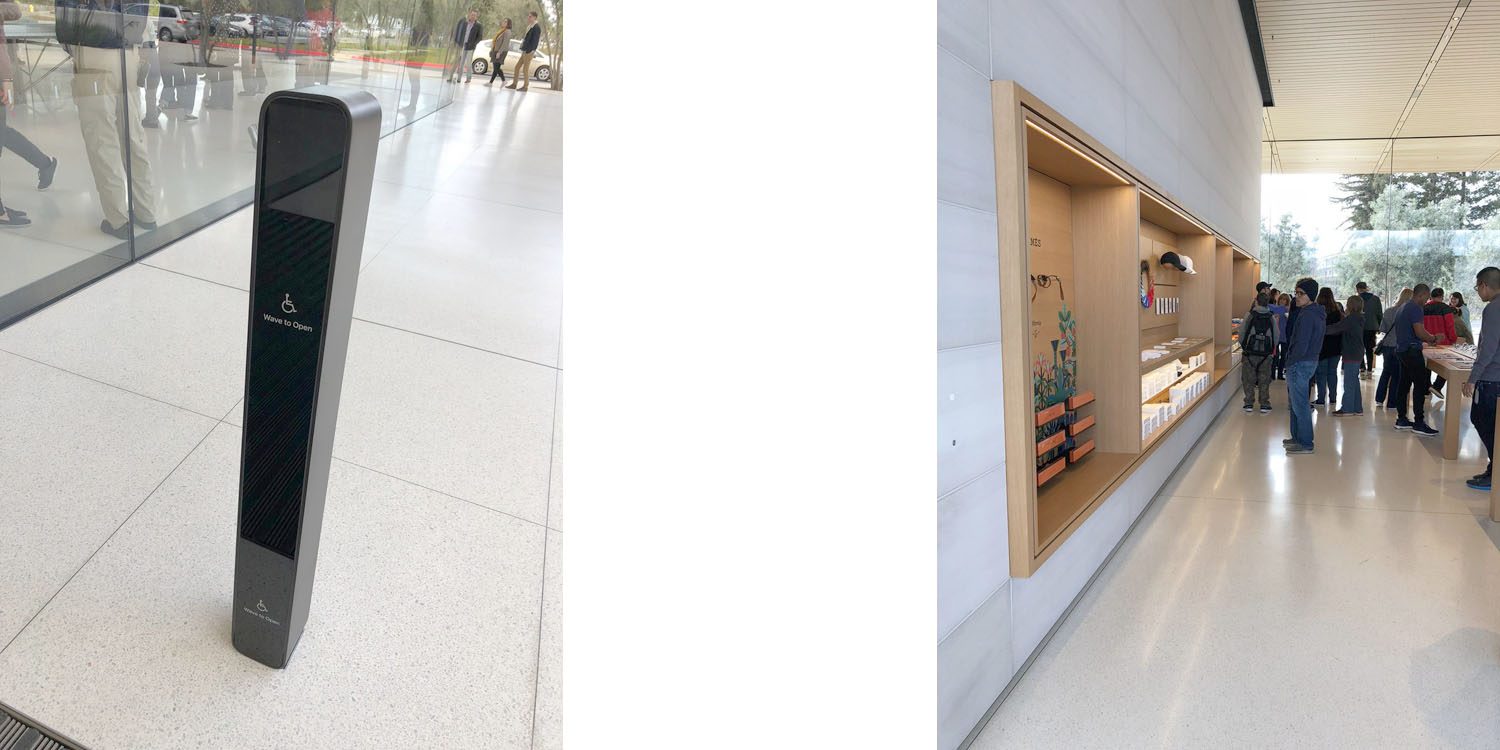
They took photos illustrating nine ways in which the center successfully catered to wheelchair users as well as blind and partially-sighted visitors – with a single fail also shown.
Instead of ramps, the entire structure is built on the exact level as the parking lot. Usually buildings are a curb-height higher since it's cheaper to use an elevated concrete pad than get the earth at the site completely flat for the foundation. Money was no object here.
Followed by the entry doors, with a ‘wave to open’ label on a post outside them.
Every exterior door has *motion-activated* auto-open triggers that can trigger on both wheelchair and foot height, placed away from the door. Usually the button (when it's working; often it's not) is mounted to the frame and is awkward to press from a wheelchair.
Extremely wide open spaces on the interior. There are no “alternate paths” for wheelchairs or assist devices. If you can walk there, you can roll there […]
All of the visitor center merchandise is stored on shelves at wheelchair height. No racks with stuff hanging above your head.
Both fire extinguishers and Automated External Defibrillator are also at a height accessible to wheelchair users. While not all wheelchair users may be able to use the latter, they would be able to fetch it.
The only fail seen is a water faucet in the coffee bar.
It's mounted too far back to reach from a wheelchair. Disabled folks have to use one of the standard water fountains near the restrooms.
The whole thread is worth a look. Thanks to @xarph for sharing the photos.
Apple has won numerous awards for its work on accessibility, with a great many feel-good stories showing the difference its products have made to those with disabilities. The company launched a dedicated accessibility website in 2016.
Source: appleinsider









