
NEWS

Apple Seeds tvOS 11.3 Beta 2 to Developers

02/07/2018

2376

Apple released tvOS 11.2 to the public in early 2018, and the company is now moving ahead with another minor update to the family of set-top boxes.


Apple today officially seeded the second developer beta of tvOS 11.3. As the minor uptick in version number suggests, it is likely that this is a minor update that will not include any major forward-facing features for the end user. More than likely, tvOS 11.3 will include bug fixes and other behind-the-scenes tweaks, while also including minor performance improvements as well.


To update, developers must have a fourth- or fifth-generation Apple TV, and they must download and install the software on the set-top box via Xcode.
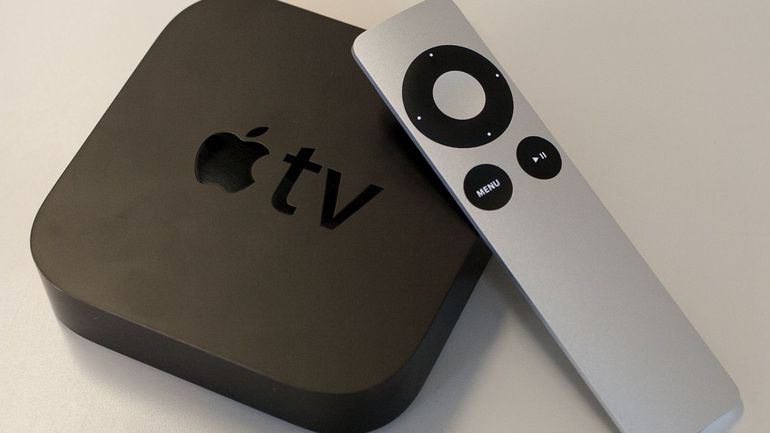

Apple Seeds tvOS 11.3 Beta 2 to Developers


Apple did include a changelog for tvOs 11.3 with its first developer beta seed. The new software includes enhancements to “Match Content” support, automatic frame rate switching on the fourth-generation Apple TV, and automatic mode switching for AirPlay video sessions.

tvOS 11.3 does also add support for AirPlay 2.


If any other discoveries are made in the software, which is not likely, we will update this post accordingly.


There is likely going to be a corresponding public beta of tvOS 11.3 released at some point in the near future, but Apple has not divulged when that might be. When the public beta arrives, it will be the same software that was released with the first developer beta, offering some parity between the two seeds.


Do you plan on trying out the developer or public beta of tvOS 11.3?


Source: iPhonehacks

Windows
Mac OS
iOS
Linux
3uTools
Win 64-bit For this device
V9.0 2025-11-11
Download
Win 32-bit For this device
V9.0 2025-11-11
Download
3uTools
Intel Chip How to Identify Chip Type
V9.0 2025-12-02
Download
Apple Chip
V9.0 2025-12-02
Download
How to Identify Chip Type
1.  Click the Apple icon in the top-left corner of the screen and select About This Mac.
2.  Check the Processor or Chip field to determine if it is "Intel" or "Apple".
Please use the 3uTools PC client to install the iOS client:
1、 Install either the Windows or Mac version of 3uTools on your computer
2、 Open the PC client and connect your device to the computer via USB cable
3、 After the connection is successful, wait for the computer to automatically install the mobile app for the device, or locate “Install Mobile App” on the computer and manually click to install.
3uTools
deb file
V3.01 2025-11-20
Download
rpm file
V3.01 2025-11-20
Download
Windows
Windows
iOS
iOS
Android
Android
TV
TV
3uAirPlayer
Win 64-bit For this device
V6.0.2 2025-11-19
Download
Win 32-bit For this device
V6.0.2 2025-11-19
Download
iOS Device Mirroring (No App Required)
1、 Install 3uAirPlayer on the Windows PC
2、 Open Control Center and select Screen Mirroring
3、 From the list, choose your PC to start mirroring
4、 Or connect your iOS device to the PC via USB to begin mirroring
Scan to get "3uAirPlayer" App
3uAirPlayer TV V1.0.18
2025-11-28
TV System Requirements: Android 7.0 or later
Download the TV installation package, copy it to a USB drive, insert it into your TV or set-top box, then select the file from the home screen to install.





