
NEWS

Is The New iPad And New MacBooks Coming In March?

02/07/2018

3381

We have been hearing rumors about a number of new Apple products, these include a new iPad Pro and also some new MacBook computers. According to a recent report, Apple will start launching its new 2018 products from march onward.


Apple is also releasing a new iMac this year although we are expecting that one to land later on in the year. We previously heard that Apple would launch a new iPad with Face ID around the end of 2018.
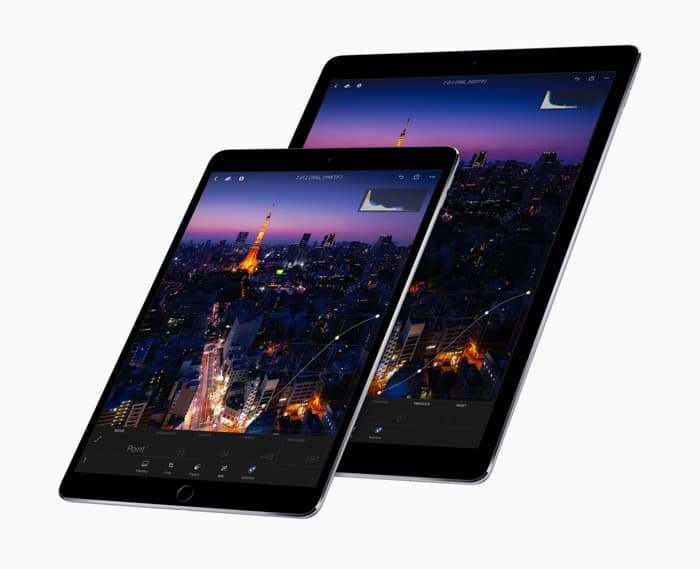

Is The New iPad And New MacBooks Coming In March?


According to a recent report from Digitimes, Apple will start to roll out its new devices from next month. The news comes from Apple’s supply chain, exactly which devices will launch next month is not known.


“These makers have cutting-edge technologies or have newly tapped into the supply chains of Apple’s consumer devices. Among them, SPT, which boasts pearl bright nickel processing technology, is ready to enjoy sizeable orders from Apple, which will incorporate the technology to process adapters for its new-generation iPhone, iPad and MacBook devices, slated for debut starting in March 2018.” according to Digitimes.


It is possible that Apple intends to launch a number of new iPads this year, so we could see the first of those next month. If Apple does end up anything new next month then we suspect it could be their new MacBook that we have been hearing about recently.


Source: geeky

Windows
Mac OS
iOS
Linux
3uTools
Win 64-bit For this device
V9.0 2025-11-11
Download
Win 32-bit For this device
V9.0 2025-11-11
Download
3uTools
Intel Chip How to Identify Chip Type
V9.0 2025-12-02
Download
Apple Chip
V9.0 2025-12-02
Download
How to Identify Chip Type
1.  Click the Apple icon in the top-left corner of the screen and select About This Mac.
2.  Check the Processor or Chip field to determine if it is "Intel" or "Apple".
Please use the 3uTools PC client to install the iOS client:
1、 Install either the Windows or Mac version of 3uTools on your computer
2、 Open the PC client and connect your device to the computer via USB cable
3、 After the connection is successful, wait for the computer to automatically install the mobile app for the device, or locate “Install Mobile App” on the computer and manually click to install.
3uTools
deb file
V3.01 2025-11-20
Download
rpm file
V3.01 2025-11-20
Download
Windows
Windows
iOS
iOS
Android
Android
TV
TV
3uAirPlayer
Win 64-bit For this device
V6.0.2 2025-11-19
Download
Win 32-bit For this device
V6.0.2 2025-11-19
Download
iOS Device Mirroring (No App Required)
1、 Install 3uAirPlayer on the Windows PC
2、 Open Control Center and select Screen Mirroring
3、 From the list, choose your PC to start mirroring
4、 Or connect your iOS device to the PC via USB to begin mirroring
Scan to get "3uAirPlayer" App
3uAirPlayer TV V1.0.18
2025-11-28
TV System Requirements: Android 7.0 or later
Download the TV installation package, copy it to a USB drive, insert it into your TV or set-top box, then select the file from the home screen to install.





