 NEWS
NEWS
NYPD Begins Deploying iPhone 7 & 7 Plus to Officers
 02/07/2018
 2509
2509
The New York Police Department is making good on a promise made last year to dole out iPhone handsets to its officers, replacing around 36,000 Windows Phones as part of a new hardware upgrade strategy, reports the New York Daily News.
The NYPD has been rolling out hundreds of the phones since Christmas to Manhattan cops, who can choose between iPhone 7 and iPhone 7 Plus models. The platform switch comes at no cost to the police department because the handsets are filed as upgrades under the agency's contract with AT&T. "We've been giving out about 600 phones a day," said NYPD Deputy Commissioner for Information and Technology Jessica Tisch. "We're seeing a lot of excitement."
Police in the Bronx and Staten Island have already received their new phones, with officers in the Queens and Brooklyn boroughs next in line to make the switch to iOS.
Armed with Apple's smartphones, the NYPD has seen its response times to critical crimes in progress drop by 14 percent, according to Tisch. The iPhones also allow cops to get videos and surveillance pictures of wanted suspects within minutes of a crime.
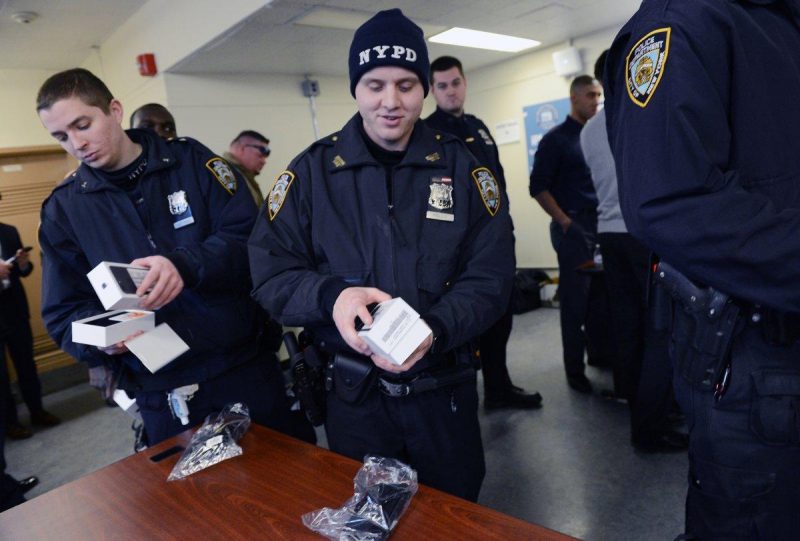
"I truly feel like it's the ultimate tool to have as a patrol cop," said Police Officer Christopher Clampitt. "We get to the location a lot quicker," he said. "By the time the dispatcher puts out the job (on the radio) we're already there."
Before the rollout, NYPD's smartphones of choice were Nokia's Lumia 830 and Lumia 640 XL, released in October 2014 and March 2015 respectively. The discontinued devices run Windows Phone 8.1, which Microsoft ended support for in July 2017 to focus on its newer Windows 10 Mobile platform and cloud-based services.
In October 2014, New York City officials announced plans to roll out handheld devices to every NYPD officer for the first time ever, along with tablets for every patrol car. The $160 million initiative was part of a plan to bring the department into the 21st century.
Source: macrumors









