
NEWS

HideMeX is Now Free!

02/06/2018

4623

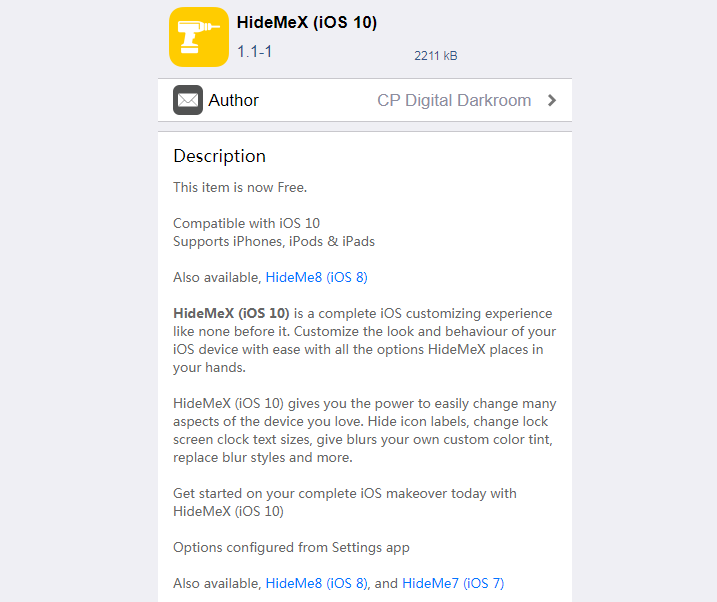
HideMeX by CPDigitalDarkroom is an all-inclusive SpringBoard customization jailbreak tweak for iOS 10 that lets you customize a number of things on your iPhone or iPad. 


The tweak now is for free (previously users need to pay $2.99) from Cydia's BigBoss repository. The tweak is fully compatible with all jailbroken iPhones, iPod touches, and iPads running iOS 10.


Related news: CPDigitalDarkroom to Make All his Paid Jailbreak Tweaks Free and Open Source


Note: If you have iOS 8, you will need to install HideMe8 instead of HideMeX. Likewise, if you have iOS 7, you will need to install HideMe7 instead of HideMeX.

HideMeX is Now Free!


For anyone who's familiar with Springtomize, this tweak is very similar in a myriad of ways, however as we continue to wait for the release of Springtomize for iOS 10, HideMeX offers a viable alternative with a lot of similar configuration options.


The HideMe jailbreak tweak series isn't particularly new, but it has been re-released with support for iOS 10 devices, which is a pretty big deal considering it's a feature-heavy tweak and is sure to be popular among jailbreakers because of the one-stop-shop aspect that it gives off.



iOS 11- iOS 11.1.2 Electra jailbreak Compatible Tweaks

Windows
Mac OS
iOS
Linux
3uTools
Win 64-bit For this device
V9.0 2025-11-11
Download
Win 32-bit For this device
V9.0 2025-11-11
Download
3uTools V3.18
2025-09-18
Please use the 3uTools PC client to install the iOS client:
1、 Install either the Windows or Mac version of 3uTools on your computer
2、 Open the PC client and connect your device to the computer via USB cable
3、 After the connection is successful, wait for the computer to automatically install the mobile app for the device, or locate “Install Mobile App” on the computer and manually click to install.
3uTools
deb file
V3.01 2025-11-20
Download
rpm file
V3.01 2025-11-20
Download
Windows
Windows
iOS
iOS
Android
Android
TV
TV
3uAirPlayer
Win 64-bit For this device
V6.0.2 2025-11-19
Download
Win 32-bit For this device
V6.0.2 2025-11-19
Download
iOS Device Mirroring (No App Required)
1、 Install 3uAirPlayer on the Windows PC
2、 Open Control Center and select Screen Mirroring
3、 From the list, choose your PC to start mirroring
4、 Or connect your iOS device to the PC via USB to begin mirroring
Scan to get "3uAirPlayer" App
3uAirPlayer TV V1.0.18
2025-11-28
TV System Requirements: Android 7.0 or later
Download the TV installation package, copy it to a USB drive, insert it into your TV or set-top box, then select the file from the home screen to install.




