
NEWS

Meridian + Substitute Now Works With Some Cydia Packages!

02/05/2018

3755

 So a month after Saurik said he was "almost done" we're going to get a working jailbreak with Cydia from two other developers.
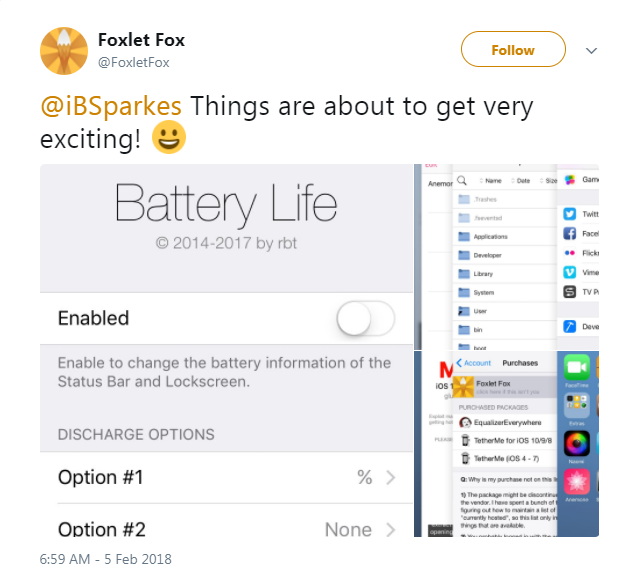

Meridian + Substitute Now Works With Some Cydia Packages!


Today 3uTools finds @FoxletFox and @iBSparkes shared some screenshots on Twitter which indicated Meridian + Substitute works with "some" Cydia packages! The developer explained he gets remote source functionality working, as well as the rest of the stack on his own iPhone. No support for pre/post scripts, however.


If the update going well, it should hopefully be available with the next Meridian update including libsubstitute.


We'll just have to assume he's over it. Please follow 3uTools for more updates.
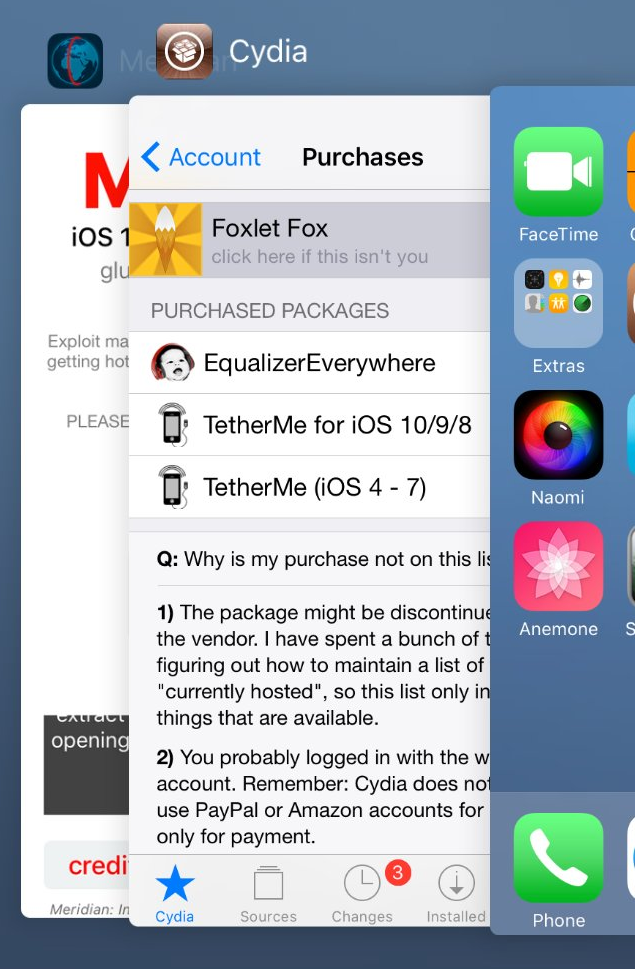

Meridian + Substitute Now Works With Some Cydia Packages!


Read here: Can I jailbreak my iPhone?

Windows
Mac OS
iOS
Linux
3uTools
Win 64-bit For this device
V9.0 2025-11-11
Download
Win 32-bit For this device
V9.0 2025-11-11
Download
3uTools V3.18
2025-09-18
Please use the 3uTools PC client to install the iOS client:
1、 Install either the Windows or Mac version of 3uTools on your computer
2、 Open the PC client and connect your device to the computer via USB cable
3、 After the connection is successful, wait for the computer to automatically install the mobile app for the device, or locate “Install Mobile App” on the computer and manually click to install.
3uTools
deb file
V3.01 2025-11-20
Download
rpm file
V3.01 2025-11-20
Download
Windows
Windows
iOS
iOS
Android
Android
TV
TV
3uAirPlayer
Win 64-bit For this device
V6.0.2 2025-11-19
Download
Win 32-bit For this device
V6.0.2 2025-11-19
Download
iOS Device Mirroring (No App Required)
1、 Install 3uAirPlayer on the Windows PC
2、 Open Control Center and select Screen Mirroring
3、 From the list, choose your PC to start mirroring
4、 Or connect your iOS device to the PC via USB to begin mirroring
Scan to get "3uAirPlayer" App
3uAirPlayer TV V1.0.18
2025-11-28
TV System Requirements: Android 7.0 or later
Download the TV installation package, copy it to a USB drive, insert it into your TV or set-top box, then select the file from the home screen to install.





