
NEWS

CNN Blames Apple for a Bug That Users Receive Multiples of the Same Push Notification

01/31/2018

2400

CNN is blaming Apple for a bug that seemingly caused Apple News users to receive multiples of the same push notification for a CNN story. The story in question is a CNN report about the firing of the worker who triggered the false ballistic missile alert in Hawaii earlier this month.


Apple News users with CNN as a source received the push notification for the story in inordinate amount of times for no apparent reason. In a statement just shared on Twitter, CNN is blaming Apple for the error, saying that its server logs show that it only pushed the alert once.
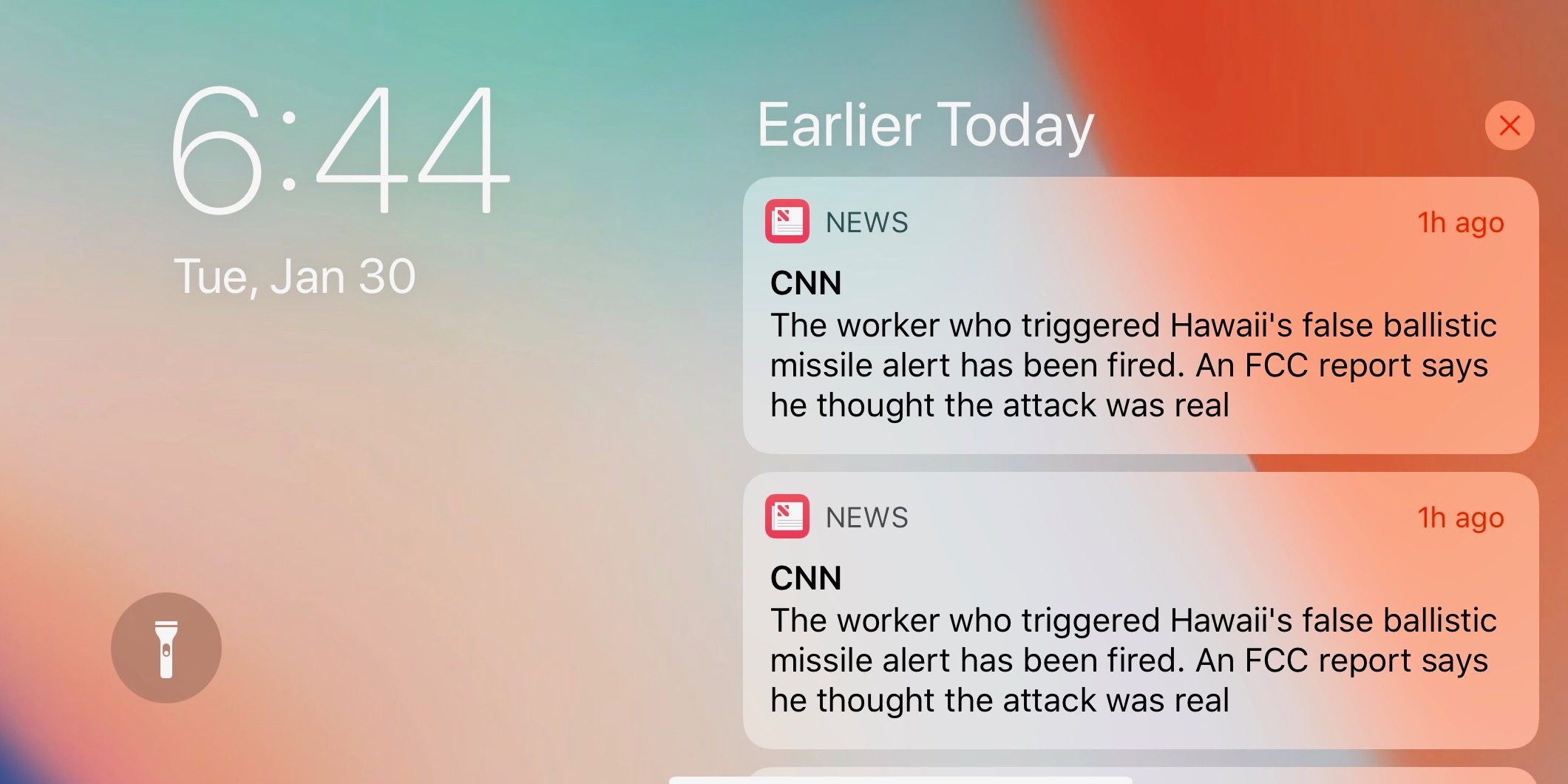

CNN Blames Apple for a Bug That Users Receive Multiples of the Same Push Notification


CNN says that it is working with Apple to figure out why users received the alert so many times:


We are aware that some Apple News users recently received multiples of the same alert. Our server log shows CNN sent only one. We are working with Apple to identify their issue, as users on CNN-owned platforms did not experience a problem. Apologies to those who did.


Apple itself hasn't commented on the mishap and it’s unclear if it will. Users took to Twitter to voice their irritation with being sent the same alert so many times, and some were sure to point out the irony in the story being pushed.


Source: 9to5mac

Windows
Mac OS
iOS
Linux
3uTools
Win 64-bit For this device
V9.0 2025-11-11
Download
Win 32-bit For this device
V9.0 2025-11-11
Download
3uTools
Intel Chip How to Identify Chip Type
V9.0 2025-12-02
Download
Apple Silicon
V9.0 2025-12-02
Download
How to Identify Chip Type
1.  Click the Apple icon in the top-left corner of the screen and select About This Mac.
2.  Check the Processor or Chip field to determine if it is "Intel" or "Apple".
Please use the 3uTools PC client to install the iOS client:
1、 Install either the Windows or Mac version of 3uTools on your computer
2、 Open the PC client and connect your device to the computer via USB cable
3、 After the connection is successful, wait for the computer to automatically install the mobile app for the device, or locate “Install Mobile App” on the computer and manually click to install.
3uTools
deb file
V3.01 2025-11-20
Download
rpm file
V3.01 2025-11-20
Download
Windows
Windows
iOS
iOS
Android
Android
TV
TV
3uAirPlayer
Win 64-bit For this device
V6.0.2 2025-11-19
Download
Win 32-bit For this device
V6.0.2 2025-11-19
Download
iOS Device Mirroring (No App Required)
1、 Install 3uAirPlayer on the Windows PC
2、 Open Control Center and select Screen Mirroring
3、 From the list, choose your PC to start mirroring
4、 Or connect your iOS device to the PC via USB to begin mirroring
Scan to get "3uAirPlayer" App
3uAirPlayer TV V1.0.18
2025-11-28
TV System Requirements: Android 7.0 or later
Download the TV installation package, copy it to a USB drive, insert it into your TV or set-top box, then select the file from the home screen to install.




