 NEWS
NEWS
Up to Three Macs Coming with T-series Security Chips, Shift to Apple CPU Inevitable
 01/30/2018
 2573
2573
In an account published by Bloomberg on Monday, the push started in 2008 when Apple bought chip manufacturer P.A. Semi. The acquisition led to the design of the A4 processor, popularized in the original iPad released in 2010.
However, just the purchase of P.A. Semi wasn't enough to kickstart Apple's ambitions in the space. Senior Vice President of Hardware Technologies Johny Srouji also joined Apple in 2008, and his leadership not just in Cupertino, but also in Herzliya, Israel has led the way.
Apple has custom silicon in most of its products released over the last two years. The AirPods and some Beats models have the W1 wireless chip. The W2 is in the new Apple Watch, with the S-series chip used as a System in a Package (SiP) since the creation of the device.
The iPhone and iPad continue the run of Apple-designed processors, with the 2017 iPhone 8 family and iPhone X sporting the A11 Bionic processor.
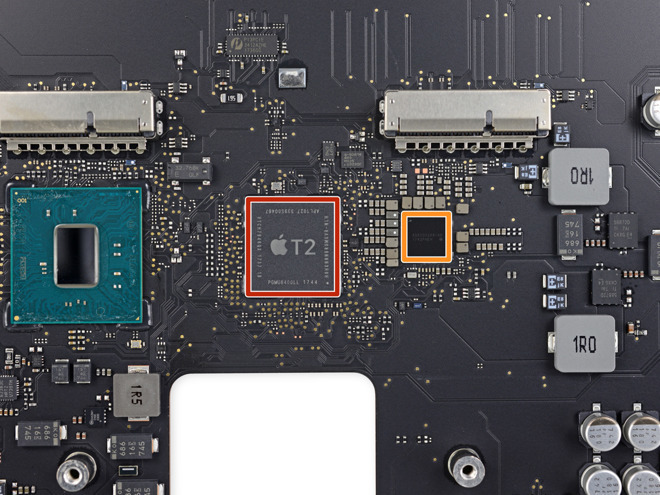
Even the last two Mac models released have Apple-designed chips controlling security and other functions. The MacBook Pro refresh has the T1 chip to control the Touch Bar and Touch ID, with the iMac Pro amping up what is controlled with the T2 chip managing nearly every aspect of the boot process, security of the microphone and camera, amongst other functions. Apple's iMac 5K and iMac 4K refreshes at the 2017 WWDC did not include a T-series processor.
Bloomberg claims that there are "at least three" updated Mac models with custom co-processors coming as soon as this year, including updated laptops and a new desktop according to "a person familiar with the plan. Bloomberg also believes that "it's just a matter of time" before Apple silicon is used as a processor in a Mac, supplanting Intel for the first time in over a decade.
Source: appleinsider









