 NEWS
NEWS
Apple Now Has 27 Self-driving Lexus Cars on the Road in California
 01/29/2018
 3694
3694
The state of California has now permitted Apple to have 27 self-driving cars on its public roads, as the company expands its homegrown automated driving technology, internally known as "Project Titan."
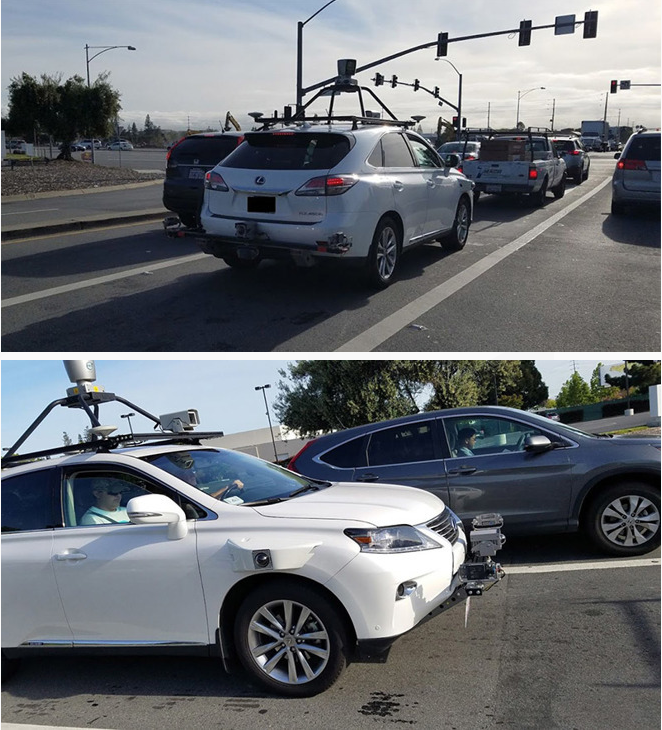
Apple previously had just three Lexus RX450h vehicles in its fleet, which took to the road last April. But since then, 24 more have been added and are legally allowed to hit the road.
While a huge leap for Apple, the 27 cars are still well behind competitors. For example, Alphabet's Waymo has hundreds of vehicles permitted to drive themselves in multiple states.
Apple's test vehicle systems initially included a Velodyne LiDAR 64-channel unit mounted on the roof, and radar arrays on the front and rear bumpers, as well as cameras around the perimeter. The systems were said to have been updated last August.
Apple has long been rumored to be working on autonomous vehicle technology under its "Project Titan" initiative. A branded car was said to be part of the initiative's original plans, but the company reportedly abandoned the aggressive goal in late 2016 after the project hit a number of snags.
Formerly led by Steve Zadesky, Project Titan was later handed over to SVP of Hardware Engineering Dan Riccio and then to longtime executive Bob Mansfield. Under Mansfield, the team was allegedly whittled down and efforts refocused to self-driving software and supporting hardware.
AppleInsider was first to discover Apple's Sunnyvale, Calif., facilities where development of Project Titan began in earnest.
Source: appleinsider









