
NEWS

iPhone X Flip: iPhone X Clamshell with Two Screens

01/12/2018

3281

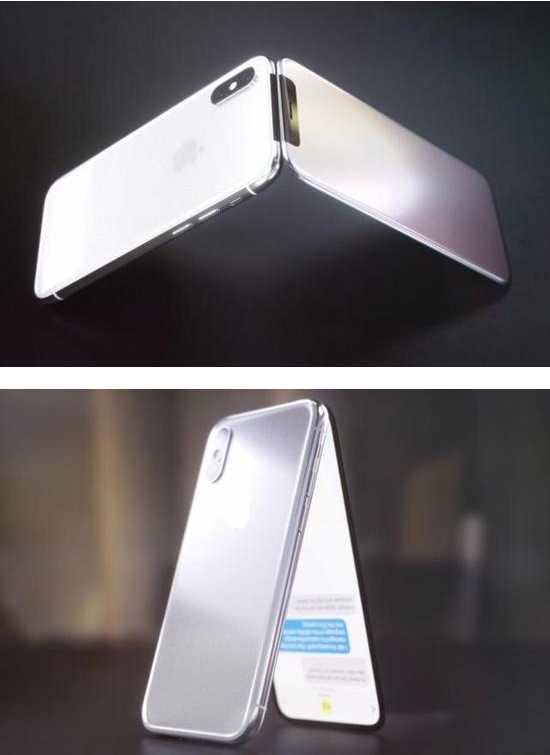
And if Apple was like Samsung and launched a flip-flop smartphone? The team of CURVED / Labs offers on the Internet a particularly successful video concept of an iPhone X clamshell: the iPhone X Flip.

iPhone X Flip: iPhone X Clamshell with Two Screens


Samsung did not abandon the flip-top smartphone far from it. The South Korean firm has formalized in December 2017 the W2018 , a phone with a high-end configuration exclusively reserved for Asia. If Apple did the same, here is what could look like an iPhone X clamshell .

iPhone X Flip: iPhone X Clamshell with Two Screens


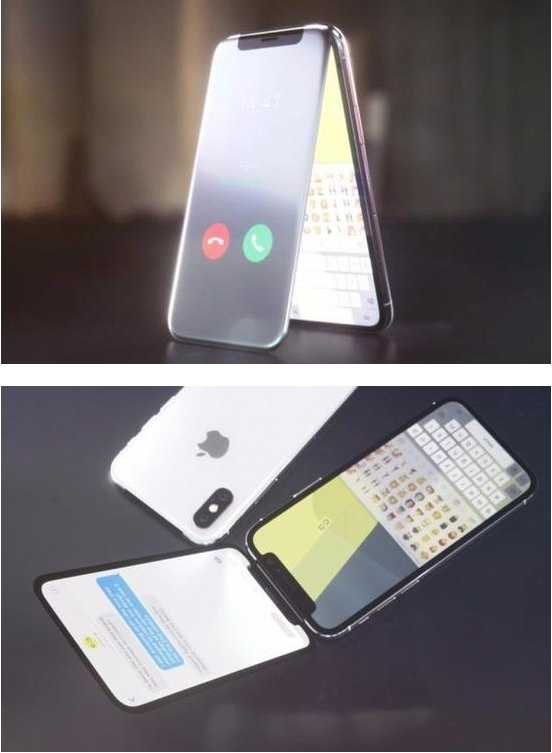
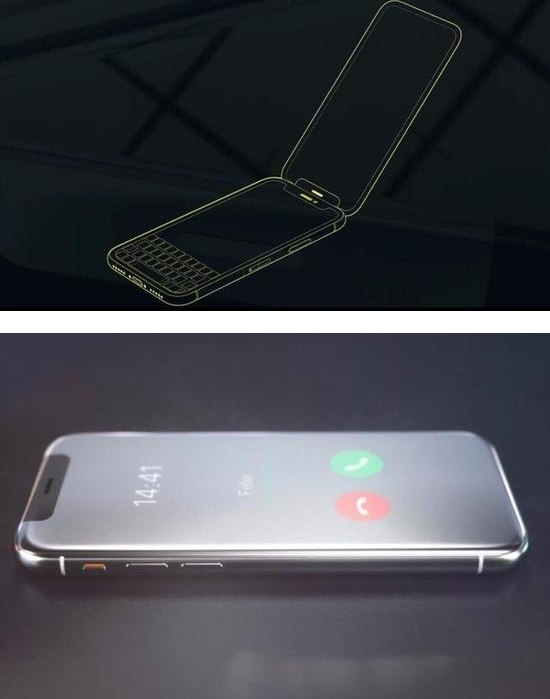
When it's closed, the Flip looks like a classic iPhone X with the famous yet still home camera TrueDepth. The first OLED screen appears to display the main information as the time or name of the contact who is calling. The back of the device hosts a dual sensor positioned vertically as on the smartphone of Apple . But it is when the iPhone X Flip is open that the show begins. There are two other OLED tiles but we wonder what is the purpose of such a device. In any case, we can notice the option tent, rather practical, especially to watch a movie.

iPhone X Flip: iPhone X Clamshell with Two Screens


Knowing that an X is sold for more than 1000 euros, imagine the astronomical price of the iPhone X Flipif Apple was brought to produce it. 1500 euros? 2000 euros? 2500 euros? In short, it is for the moment a concept and it should remain so. We must admit that at the moment, many of the imagination in Science and Knowledge of picture and sound Samsung Galaxy X8 that merges the Galaxy S8 and  X .


Source: erenumerique

Windows
Mac OS
iOS
Linux
3uTools
Win 64-bit For this device
V9.01 2025-12-27
Download
Win 32-bit For this device
V9.01 2025-12-27
Download
3uTools
Intel Chip How to Identify Chip Type
V9.0 2025-12-02
Download
Apple Silicon
V9.0 2025-12-02
Download
How to Identify Chip Type
1.  Click the Apple icon in the top-left corner of the screen and select About This Mac.
2.  Check the Processor or Chip field to determine if it is "Intel" or "Apple".
Please use the 3uTools PC client to install the iOS client:
1、 Install either the Windows or Mac version of 3uTools on your computer
2、 Open the PC client and connect your device to the computer via USB cable
3、 After the connection is successful, wait for the computer to automatically install the mobile app for the device, or locate “Install Mobile App” on the computer and manually click to install.
3uTools
deb file
V3.01 2025-11-20
Download
rpm file
V3.01 2025-11-20
Download
Windows
Windows
iOS
iOS
Android
Android
TV
TV
3uAirPlayer
Win 64-bit For this device
V6.0.2 2025-11-19
Download
Win 32-bit For this device
V6.0.2 2025-11-19
Download
iOS Device Mirroring (No App Required)
1、 Install 3uAirPlayer on the Windows PC
2、 Open Control Center and select Screen Mirroring
3、 From the list, choose your PC to start mirroring
4、 Or connect your iOS device to the PC via USB to begin mirroring
Scan to get "3uAirPlayer" App
3uAirPlayer TV V1.0.18
2025-11-28
TV System Requirements: Android 7.0 or later
Download the TV installation package, copy it to a USB drive, insert it into your TV or set-top box, then select the file from the home screen to install.




