
NEWS

Second iPhone Battery Fire in Two Days Affects Spanish Apple Store

01/11/2018

2405

Apple's Calle Colon store in Valencia, Spain was evacuated on Wednesday after an iPhone's battery exploded during repair, filling one floor of the building with smoke. 


The incident took place at 1:30 in the afternoon, according to Las Provincias. Firefighters and police were called but reportedly didn't intervene, as Apple workers managed to air out the store by opening windows and smothering the battery with sand.
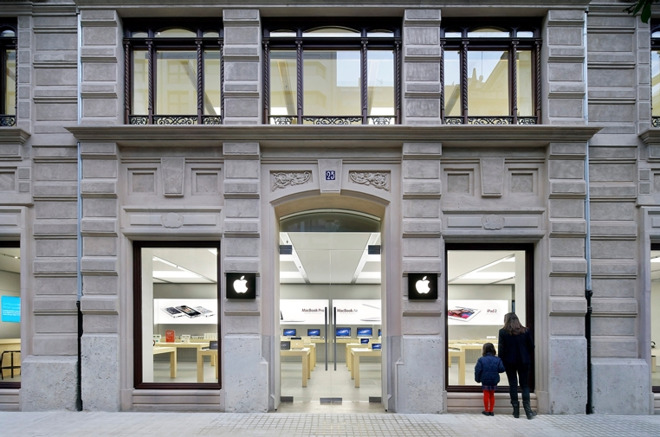
Second iPhone Battery Fire in Two Days Affects Spanish Apple Store

There also don't appear to have been any injuries, despite the battery exploding instead of simply burning.

On Tuesday, an Apple employee received 
minor burns when an iPhone battery caught fire at a store in Zurich, Switzerland. In total seven people required medical help, though no one had to be hospitalized.

The two fires could be connected to Apple's 
discounted replacements in the wake of admitting it slows down iPhones with weak batteries. A higher number of people are likely bringing in iPhones for service, increasing the odds of trouble, especially with components as volatile as lithium-ion batteries.


Source: appleinsider

Windows
Mac OS
iOS
Linux
3uTools
Win 64-bit For this device
V9.0 2025-11-11
Download
Win 32-bit For this device
V9.0 2025-11-11
Download
3uTools
Intel Chip How to Identify Chip Type
V9.0 2025-12-02
Download
Apple Silicon
V9.0 2025-12-02
Download
How to Identify Chip Type
1.  Click the Apple icon in the top-left corner of the screen and select About This Mac.
2.  Check the Processor or Chip field to determine if it is "Intel" or "Apple".
Please use the 3uTools PC client to install the iOS client:
1、 Install either the Windows or Mac version of 3uTools on your computer
2、 Open the PC client and connect your device to the computer via USB cable
3、 After the connection is successful, wait for the computer to automatically install the mobile app for the device, or locate “Install Mobile App” on the computer and manually click to install.
3uTools
deb file
V3.01 2025-11-20
Download
rpm file
V3.01 2025-11-20
Download
Windows
Windows
iOS
iOS
Android
Android
TV
TV
3uAirPlayer
Win 64-bit For this device
V6.0.2 2025-11-19
Download
Win 32-bit For this device
V6.0.2 2025-11-19
Download
iOS Device Mirroring (No App Required)
1、 Install 3uAirPlayer on the Windows PC
2、 Open Control Center and select Screen Mirroring
3、 From the list, choose your PC to start mirroring
4、 Or connect your iOS device to the PC via USB to begin mirroring
Scan to get "3uAirPlayer" App
3uAirPlayer TV V1.0.18
2025-11-28
TV System Requirements: Android 7.0 or later
Download the TV installation package, copy it to a USB drive, insert it into your TV or set-top box, then select the file from the home screen to install.




