 NEWS
NEWS
Apple App Staple PCalc Celebrates 25 Years
 12/28/2017
 2461
2461
This month marks the 25th anniversary of PCalc, an award winning scientific calculator that debuted on the Mac back in 1992. Since then, it has expanded to virtually all of Apple's platforms, including iOS, watchOS, and even tvOS.
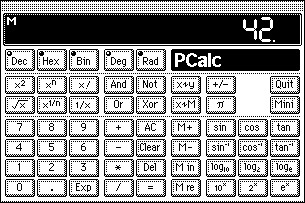
PCalc developer James Thomson commemorated the silver anniversary by reprinting the email he sent to the Info-Mac archive moderators to announce his new application. A few days later, FTP mirror sites began hosting the free app, before the web as we know it today existed.
"PCalc was my first ever application, Thomson wrote. "I started writing in the summer of 1992 and it took me around six months to get it into a state where I was happy to show it to the world. Some of that code still runs today, deep at the heart of the machine."
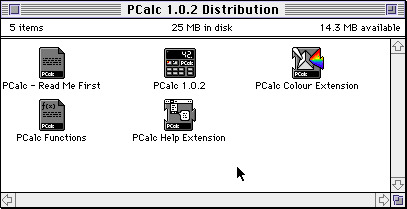
The original PCalc ran on Apple's System 7 operating system, code named "Big Bang," which was released for Macintosh in May of 1991. PCalc's anniversary was spotlighted on Wednesday by Jim Dalyrmple of The Loop.
Short for "Programmers' Calculator," the application has always had the number 42 on its icon, in reference to Douglas Adams's "Hitchhiker's Guide to the Galaxy" series. Adams himself was even a beta tester of the app, which also included a "Hitchhiker's" easter egg.
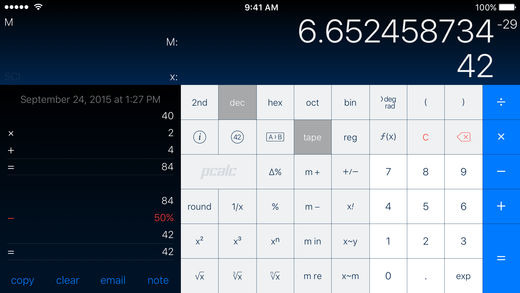
As Apple as a company changed, so too has PCalc. Many who use it on iPhone today may — either in the form of PCalc for $9.99 or the free PCalc Lite may not realize its legacy.
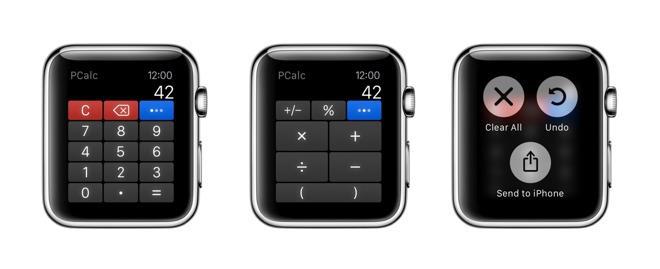
In addition to the iPhone, PCalc is also available for Apple Watch, and even on the Apple TV.
It's also worth noting, as 2017 draws to a close, that this year was also the 20th anniversary of AppleInsider's debut online. This publication began serving up Apple news and rumors in 1997, making both it and PCalc stalwarts from a much different time in Apple's history, evolving over time along with the company itself.
And, of course, 2017 marked the 10th anniversary of the first iPhone, reshaping not only Apple as a company, but also the entire world personal computing.
Source: appleinsider









