 NEWS
NEWS
Five Reasons You'll Regret Ditching Your Apple iPhone For An Android
 11/28/2017
 3700
3700
It's official, the switch to Android is complete. Nearly three weeks on, Google's mobile platform has more than lived up to the hype.
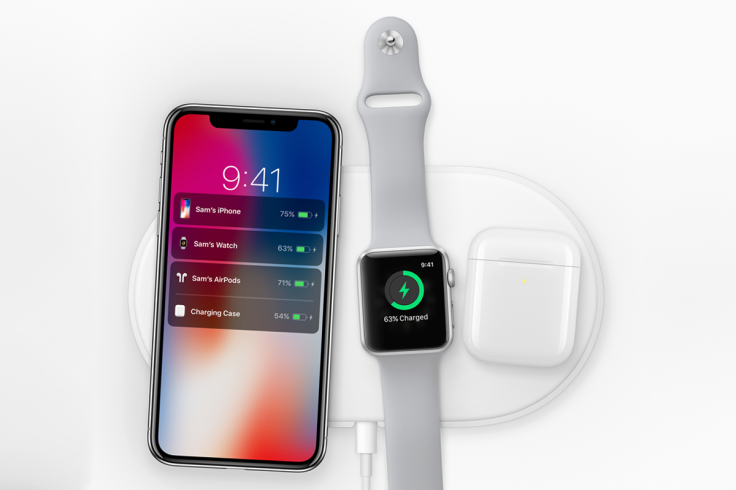
But we'd be lying if we said we didn't miss the iPhone. There are still features you just cannot enjoy as much on Android. Here are the five we miss the most:
1. iMessage
It's hard to believe iMessage didn't appear on iOS until 2011, four years after the iPhone launched. Now, those blue message bubbles are all anyone on the platform can talk about it. And yes, they are bloody fantastic.
2. Live photos
Getting a photo sent to you is great, but when Apple unveiled live photos for the iPhone 6S it added a whole extra dimension to snaps. Force touch the picture and it would become "alive", with about 1.5 seconds of footage recorded before and after you hit the shutter button. It was easy for Apple to market: kids laughing and smiling, fireworks exploding... You get the idea. As more and more people upgraded beyond the iPhone 6s, it almost became the norm.
3. Apple Pay
So here's the problem with Android Pay, not all banks need to buy in. Barclays, for example, does not support Android Pay, choosing instead to push its own app. This is such a major shortcoming. Apple's "our way or the highway" mentality actually pays off in this situation. My Apple Pay had accounts from three different banks set up and it was easy to decide which one to use when purchasing something.
4. The connectivity
The Macbook doesn't matter too much, the real killer is the Apple Watch. Say goodbye to notifications on your wrist, Apple Watch categorically does not work with an Android phone. Ironically, it's still attached snugly to my wrist. What for you ask? It's still a great fitness tracker without an iPhone nearby. Plus, I can use Apple Pay.
5. Accessories
So many wasted cords, so many useless headphone adapters. Thanks to the rise of Bluetooth, this issue is not nearly as bad as it once would have been. Headphones, speakers and car connections are mostly wireless now anyway. But that doesn't mean it's not an absolute pain to have countless lightning cables sitting around for nothing. Come on, everyone has more than one, don't they.
Source: ibitimes










