 NEWS
NEWS
iPhone X Will Cost Over $2,100 in Brazil When Released in South America Next Month
 11/24/2017
 3069
3069
Apple has updated its website to indicate that the iPhone X launches in three additional Latin American countries in early December. 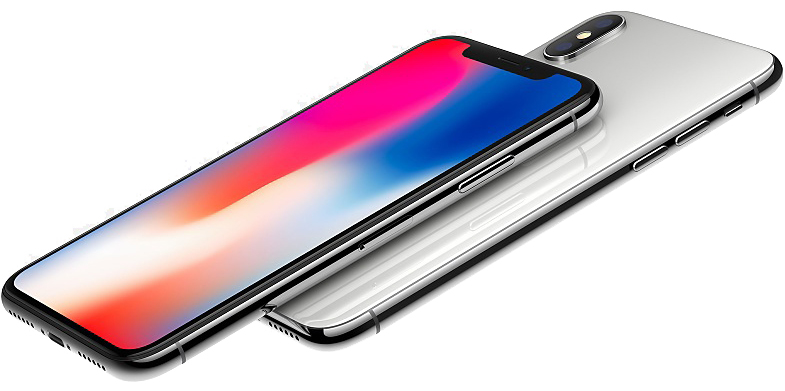
Namely, the iPhone X will be released in Colombia starting December 1, Chile on December 7, and Brazil on December 8. The device will be available from select carriers and authorized resellers in each country.
In Brazil, the iPhone X will also be on display and available to purchase from the country's two Apple Stores at VillageMall in Rio de Janeiro and the Morumbi shopping center in São Paulo. Inventory will likely be extremely limited.
iPhone X will start at 6,999 Brazilian reals in Brazil, the equivalent of slightly more than $2,150 USD based on current exchange rates. That's more than double the iPhone X's starting price of $999 in the United States.
Apple's prices in Brazil being significantly higher than in the United States is partly the result of the country's 60 percent duty on imported products valued up to $3,000, and likely other factors such as stricter labor laws.
Apple hasn't provided iPhone X pricing information for Chile or Colombia, or release dates for other countries in South America.
iPhone X first launched November 3 in the United States and over 50 other countries. The device was also released in Israel today and arrives in 13 additional countries, including Malaysia, South Korea, Thailand, and Turkey, tomorrow.
iPhone X orders on Apple's website now ship in an estimated 1-2 weeks around the world, down from 5-6 weeks after the device first launched.
Note: Due to the political nature of the discussion regarding this topic, the discussion thread is located in our Politics, Religion, Social Issues forum. All forum members and site visitors are welcome to read and follow the thread, but posting is limited to forum members with at least 100 posts.
Source: macrumors










